The Ultimate Guide to Email Deliverability & Sender Reputation
- Email deliverability is about inbox placement, not just accepted delivery. A message that reaches the server but lands in spam is not a deliverability win.
- Sender reputation is earned over time through strong authentication, clean data, and positive subscriber engagement.
- Modern mailbox providers reward trustworthy senders and filter senders with high complaints, poor hygiene, or weak technical setup.
- The practical path to better deliverability is straightforward: authenticate your domain, clean your list, monitor reputation, reduce complaints, and test before sending.
What is Email Deliverability?
Email deliverability is the rate at which your emails successfully reach the intended recipient’s primary inbox, not merely whether a receiving server accepts the message. True deliverability measures inbox placement, visibility, and trust. Server “delivery” alone is not enough if your campaigns land in spam, promotions, or get blocked.
For marketers, this distinction matters. Your ESP may report that 99% of emails were “delivered,” but that only means the receiving server accepted them. It does not mean subscribers saw them in the inbox where they were likely to engage. Real deliverability is about earned inbox placement.
The 3 Pillars of Sender Reputation
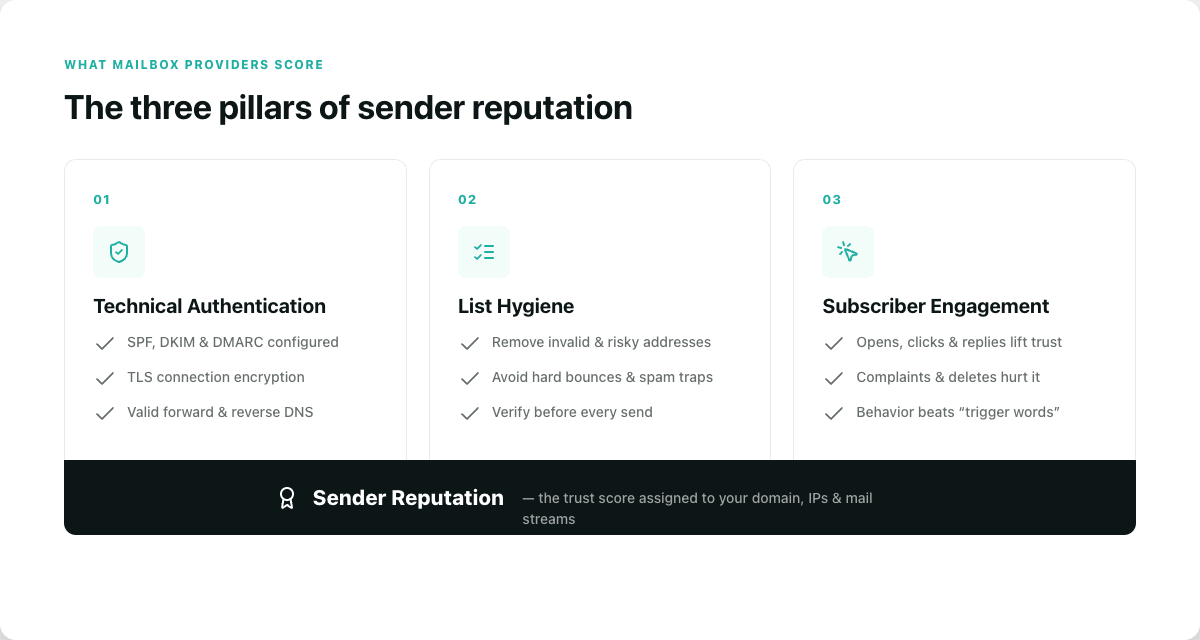
Sender reputation is the trust score mailbox providers assign to your sending domain, IPs, and mail streams. Most reputation systems revolve around three core pillars:
1. Technical Authentication
Mailbox providers want proof that your email is genuinely from you. This requires properly configured:
- SPF, DKIM, and DMARC
- TLS connection encryption
- Valid forward and reverse DNS records
2. List Hygiene
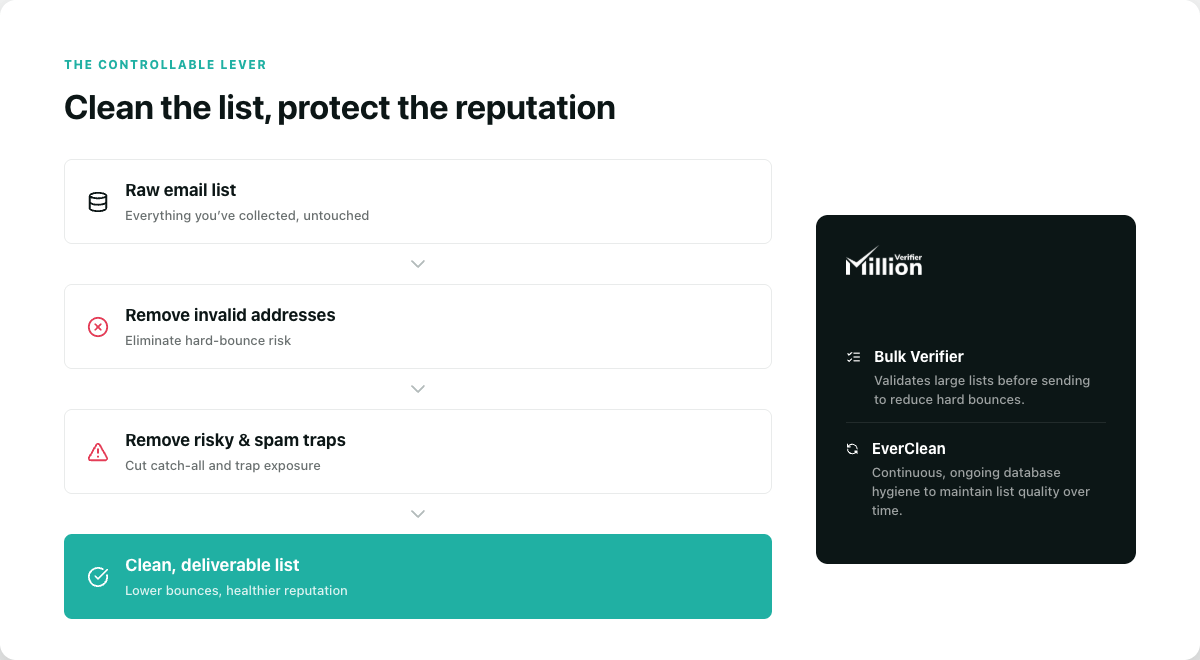
A clean list protects your reputation, while a dirty list creates hard bounces. This is where verification matters. The MillionVerifier Bulk Email Verifier can help you identify invalid or risky addresses before campaigns go out and maintain ongoing CRM hygiene to keep your hard bounce risk low over time.
3. Subscriber Engagement
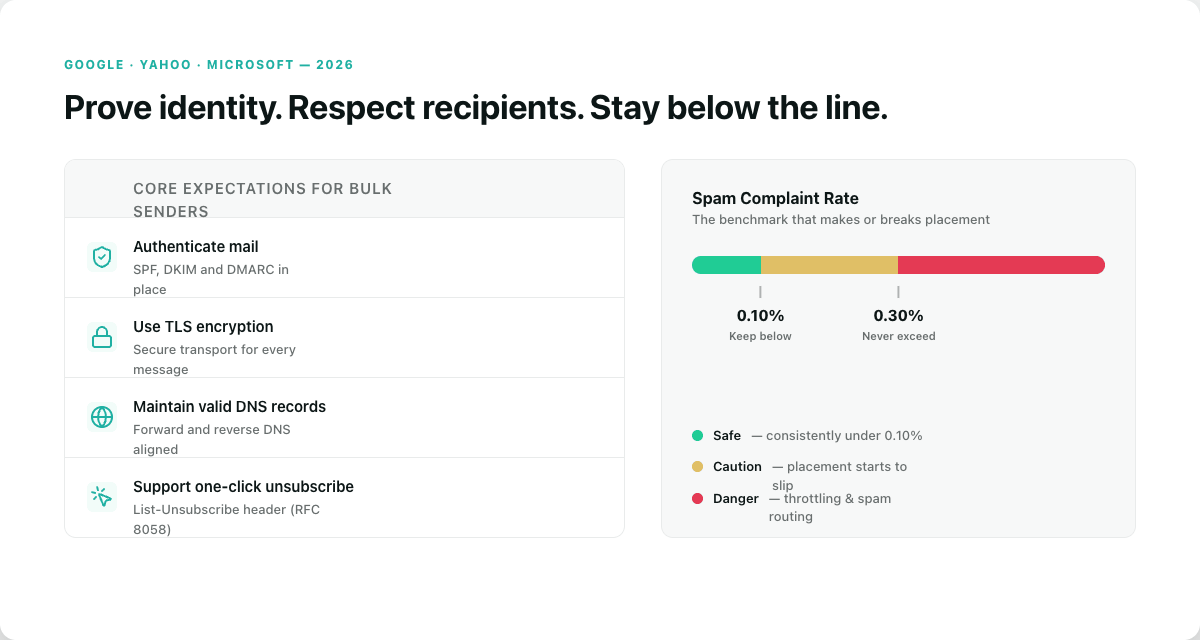
Providers increasingly use engagement-based filtering, focusing on behavior over "spam trigger words."
- Positive signals: Opens, clicks, replies, and moving messages from spam to the inbox.
- Negative signals: Spam complaints, deleting without reading, and low engagement over time.
The 2026 Sender Guidelines (Google, Yahoo, & Microsoft)
By 2026, bulk senders must prove identity, respect recipients, and maintain low complaint rates.
Core Expectations
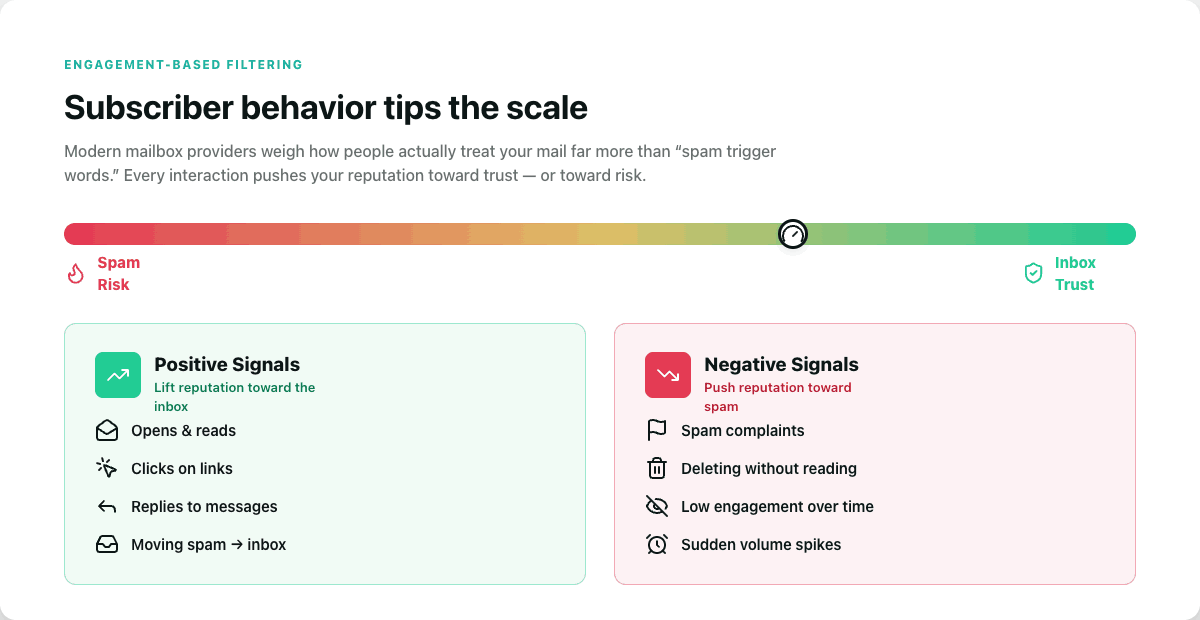
Bulk senders should authenticate mail (SPF, DKIM, DMARC), use TLS encryption, maintain valid DNS records, and support one-click unsubscribes.
Complaint Rate Thresholds
A critical benchmark for bulk senders is the spam complaint rate:
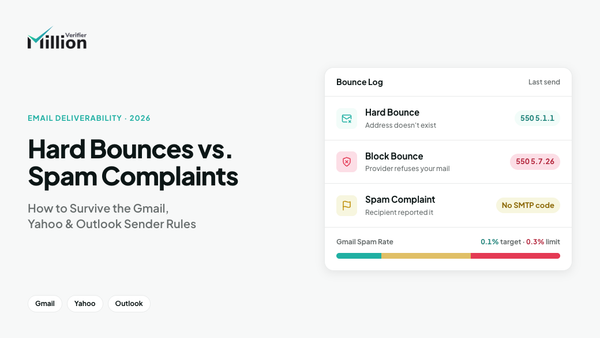
- Maintain a spam complaint rate consistently below 0.10%
- Strictly never exceed 0.30%
Exceeding these thresholds can cause inbox placement to deteriorate quickly, leading to throttling or routing to the spam folder.
Email Authentication: SPF, DKIM, and DMARC
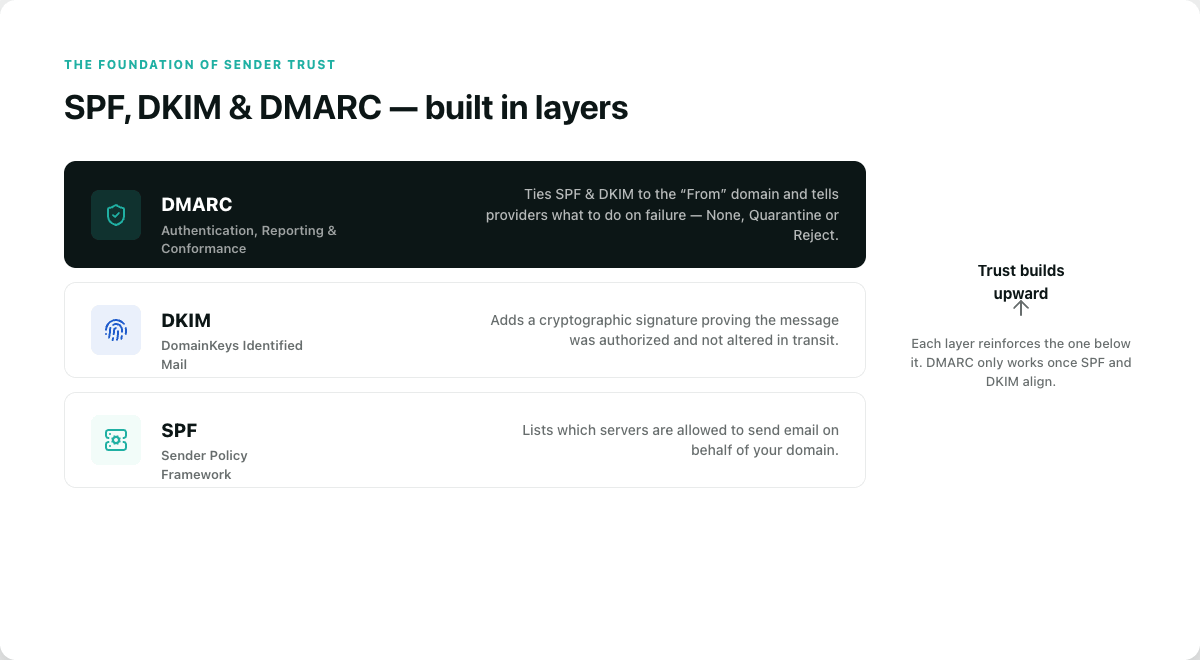
Authentication is the foundation of sender trust, ensuring messages are authorized and untampered with.
- SPF (Sender Policy Framework): Specifies which servers are allowed to send email on behalf of your domain.
- DKIM (DomainKeys Identified Mail): Adds a cryptographic signature to verify the message was authorized and not altered in transit.
- DMARC (Domain-based Message Authentication, Reporting, and Conformance): Ties SPF and DKIM to the "From" domain and tells providers what to do if authentication fails (None, Quarantine, or Reject).
How to Fix Email Authentication
- Audit DNS records: Confirm SPF, DKIM, and DMARC are published correctly.
- Check alignment: Ensure the visible "From" domain aligns with SPF/DKIM.
- Avoid SPF bloat: Consolidate vendors to avoid too many DNS lookups.
- Enable signing: Ensure every sending platform (CRM, ESP) signs mail properly.
- Start DMARC with monitoring: Use p=none first, then move toward enforcement.
- Verify transport: Ensure TLS encryption and valid reverse DNS are in place.
How to Monitor and Repair Domain Reputation
Reputation is dynamic and should be reviewed on a rolling 30-day basis.
Tools and Monitoring
Google Postmaster Tools is a vital free resource for monitoring domain reputation, IP reputation, spam rates, and authentication status for Gmail users.
How to Repair Reputation
If your reputation slips:
- Reduce complaints immediately: Pause sends to cold segments and keep complaints below 0.10%.
- Remove invalid addresses: Clean lists and suppress hard bounces.
- Tighten segmentation: Send only to your most recent openers and clickers.
- Review acquisition: Eliminate purchased or scraped data.
- Confirm technicals: Re-verify SPF, DKIM, and DMARC.
- Warm up carefully: Gradually increase volume by starting with your most engaged users.
Avoiding the Spam Folder: Why Good Emails Get Filtered
Creative quality alone doesn't protect you. Emails are often filtered due to weak authentication, sudden volume spikes, or poor domain reputation.
Engagement-based filtering beats spam-word myths. Modern filters care more about sender reputation and recipient behavior than specific "trigger words" like "Free" or "Urgent." To improve placement, prioritize engaged users, maintain a consistent sending cadence, and make unsubscribing effortless.
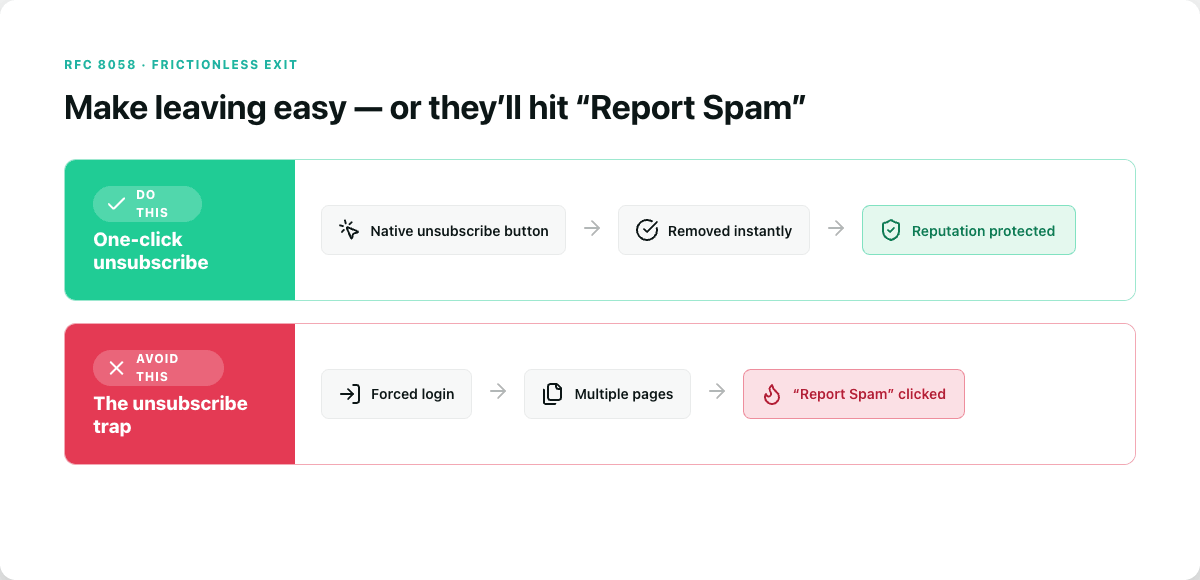
The One-Click Unsubscribe Rule (RFC 8058)
Under RFC 8058, senders can support one-click unsubscribe through the List-Unsubscribe HTTP header. This allows the unsubscribe button to appear natively in the Gmail/Yahoo UI.
The Risk: If you trap users by making them log in or click through multiple pages to unsubscribe, they will likely click "Report Spam" instead, instantly damaging your domain reputation.
Spam Traps & Blocklists: The Silent Killers
Spam Traps
Email addresses used to identify poor acquisition practices. Hitting traps suggests you are using purchased lists or failing to remove inactive contacts.
Blocklists
Databases like Spamhaus identify suspicious senders. Being listed can lead to outright blocking or heavy filtering. To resolve this, you must fix the root cause (e.g., cleaning the list) before requesting delisting.
How List Hygiene Drives Deliverability (The MillionVerifier Solution)
List hygiene is a controllable lever. By removing invalid and risky addresses, you reduce hard bounces and spam trap exposure.
MillionVerifier provides the Bulk Verifier, which validates large lists before sending to reduce hard bounces.
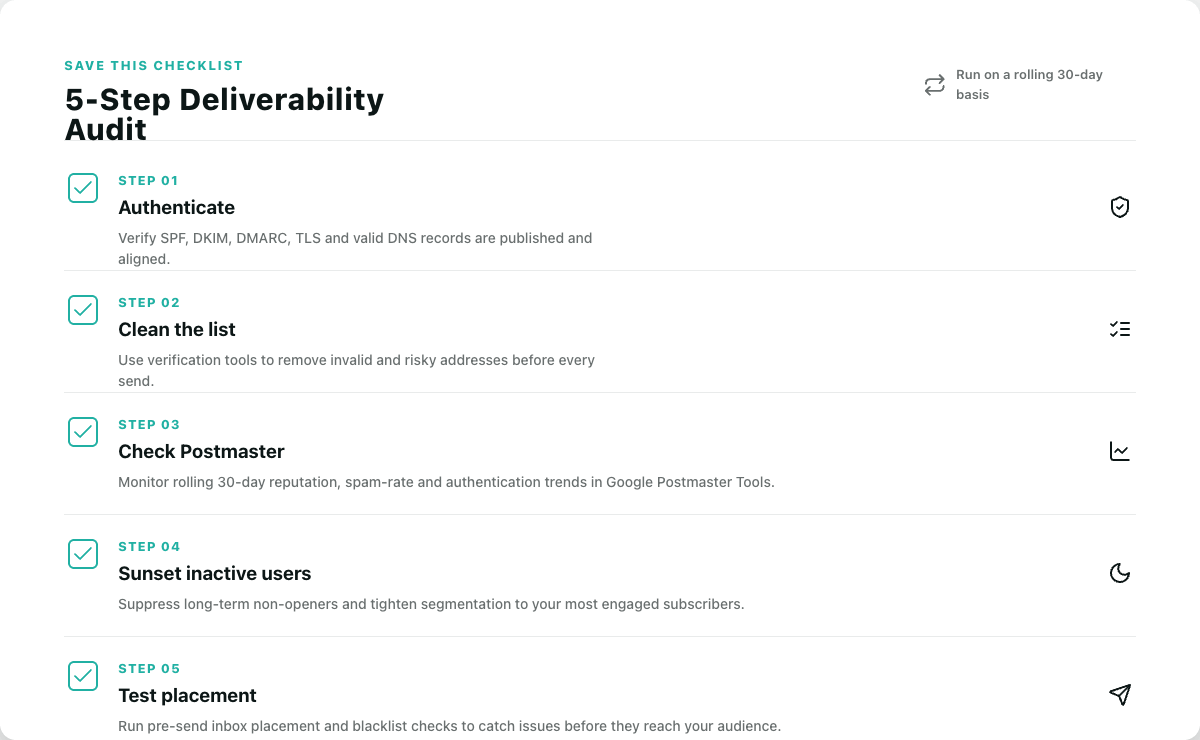
A 5-Step Deliverability Audit Framework
Use this actionable checklist to maintain your sender health:
- Authenticate: Verify SPF, DKIM, DMARC, TLS, and DNS records.
- Clean List: Use verification tools to remove invalid and risky addresses.
- Check Postmaster: Monitor rolling 30-day trends via Google Postmaster Tools.
- Sunset Users: Suppress long-term inactive subscribers.
- Test Placement: Run pre-send inbox placement and blacklist checks.
Frequently Asked Questions
What is the difference between delivery and deliverability?
Delivery is when the server accepts the mail; deliverability is when the mail actually reaches the inbox.
What is a good spam complaint rate?
Consistently below 0.10%, and strictly never exceeding 0.30%.
Do spam trigger words still matter?
Far less than before. Reputation, authentication, and engagement are now the primary drivers.
Can list verification guarantee inbox placement?
No, but it reduces the risk of hard bounces and spam traps, which supports a healthier reputation.
Ready to clean your list?
Verify your emails with MillionVerifier and send your next campaign with more confidence, fewer bounces, and better results.