Inbound vs. Outbound Email Verification: Strategic Differences
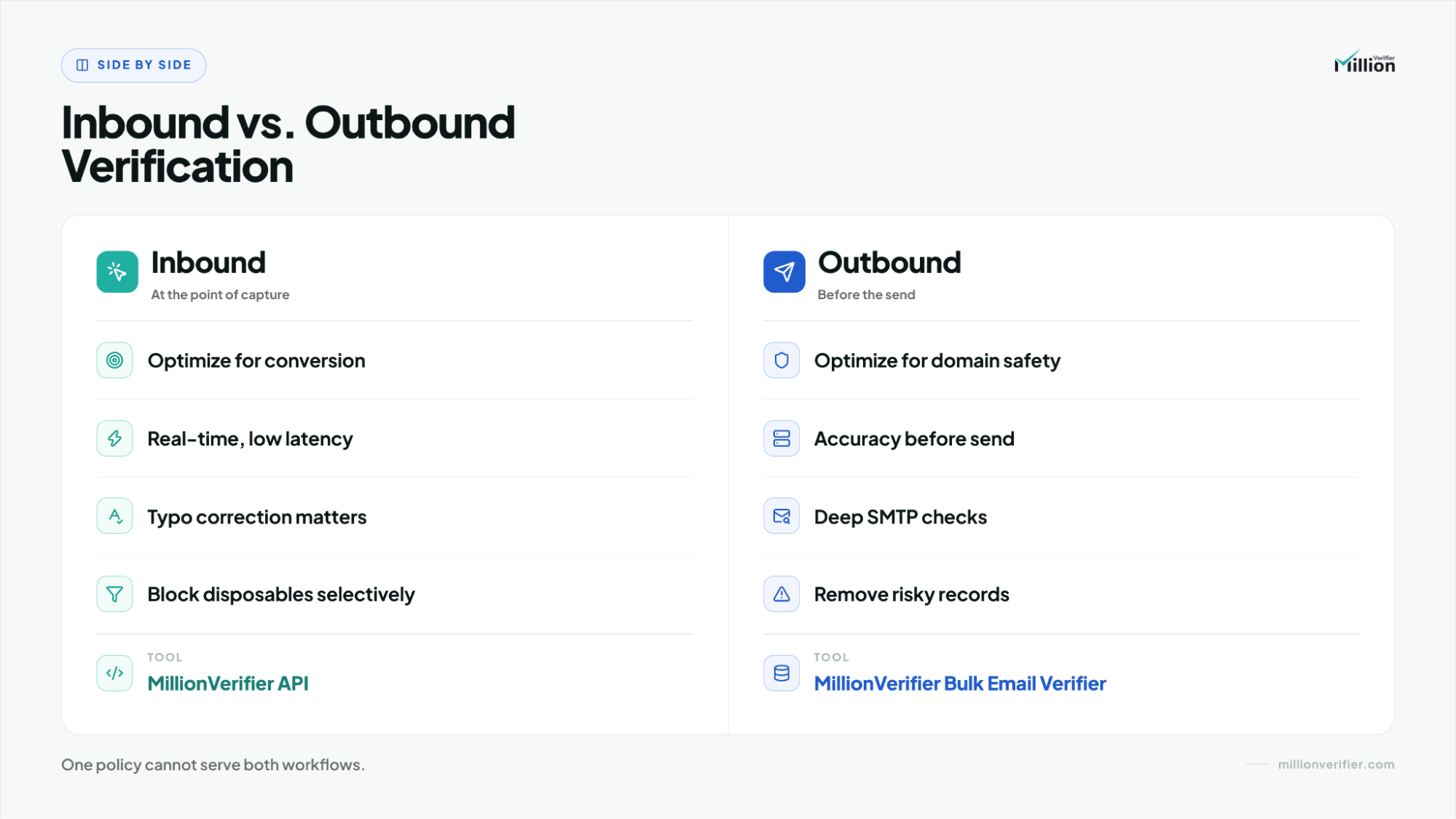
Inbound verification should optimize for conversion at the point of entry, which means fast checks, typo correction, disposable-domain handling, and selective free-mail filtering when the workflow requires it.
Outbound verification should optimize for sender-domain safety before the first send, which means stricter screening, zero reliance on user intent, and deep SMTP checks to catch hard-bounce and reputation risk.
A clean operating model is simple: use the MillionVerifier API for inbound forms, MillionVerifier Bulk Email Verifier before outbound campaigns, and to maintain CRM hygiene over time.
Why do inbound and outbound email workflows require different rules?
Inbound and outbound email verification should not use the same policy because the user intent and risk model are different. In inbound, a real person is actively trying to convert. In outbound, there is no live user at all. That single difference changes what the verification layer should protect.
In an inbound workflow, someone is filling out a demo form, starting a trial, or submitting a landing page. Verification has to improve data quality without disrupting the conversion moment.
In an outbound workflow, there is zero user intent at the moment of verification. You are evaluating a stored record before cold outreach starts. No one is waiting on a form. The goal is not UX preservation. The goal is to protect the sender domain.
That is why one shared rule set causes damage:
- Too strict on inbound creates form friction, rejects recoverable leads, and increases abandonment.
- Too loose on outbound lets risky records into campaigns and raises bounce, blacklist, and reputation risk.
The rule is simple: verification policy should follow workflow context, not just the email field.
How should inbound email verification work at the point of entry?
Inbound verification should run in real time on forms, signups, and landing pages. The job is to protect data quality while keeping the conversion path smooth.
For this workflow, the natural fit is the MillionVerifier API. It belongs at the moment the email is captured, not later after bad data has already entered the CRM.
How fast should inbound verification be, and why does typo correction matter?
Inbound verification should feel almost invisible. In practice, that means low-hundreds-millisecond response times, with sub-200ms often being the target on high-intent forms.
Speed matters, but correction matters just as much. Many bad inbound addresses are not malicious. They are ordinary typing mistakes.
Example:
- User enters:
[email protected] - Form responds: Did you mean [email protected]?
That kind of correction saves legitimate demand, keeps CRM data cleaner, and prevents needless form drop-off.
When should B2B SaaS teams block disposables or free-mail addresses?
Inbound filtering should be selective rather than blunt.
For many B2B SaaS teams, blocking disposable domains on demo requests, contact-sales forms, or free-trial flows is a sensible guardrail. It reduces junk submissions and fake signups.
Free-mail addresses are more contextual. Some teams need a corporate domain for routing, enrichment, qualification, or ownership assignment. In those cases, it can make sense to block or flag free-mail on specific forms.
A practical inbound policy often looks like this:
- block disposable domains,
- correct obvious typos,
- optionally block or flag free-mail on selected B2B forms,
- route edge cases into review or nurture paths instead of automatically discarding them.
The aim is not maximum strictness. The aim is better data quality without punishing legitimate intent.
How should outbound email verification protect the sender domain before send?
Outbound verification should happen before the first email is sent to a stored list. This is a pre-send deliverability control, not a UX layer.
When you prepare a cold outbound list, there is zero user intent behind the verification event. That means the correct posture is stricter from the start.
The main risks are:
- hard-bouncing inboxes,
- invalid domains,
- sender-domain reputation damage.
That is why the right fit here is MillionVerifier Bulk Email Verifier.
Why are deep SMTP handshakes better than surface pings for outbound?
Shallow checks are not enough when domain reputation is at stake.
A syntax pass or surface ping may show that an address appears normal, but outbound verification needs stronger evidence before a campaign launches. That is where deep server/SMTP handshakes matter.
MillionVerifier Bulk Email Verifier uses deep SMTP-based checks to identify:
- invalid domains,
- hard-bouncing inboxes,
without sending an email. That is the right standard for outbound because the workflow is not trying to preserve a live conversion event. It is trying to prevent sender-domain damage before it happens.
What is the difference between inbound and outbound verification workflows?
The table below shows why the same email field requires two different operating models.
| Workflow Factor | Inbound Strategy | Outbound Strategy |
|---|---|---|
| User Intent | A real user is actively submitting a form or signup | No live user is present; the address is a stored record |
| Primary Goal | Protect conversion while improving data quality | Protect the sender domain before outreach begins |
| Latency Requirement | Real-time validation in low hundreds of milliseconds; ideally sub-200ms on high-intent forms | No live UX constraint; prioritize verification depth and safety over speed |
| Primary Threat | Form abandonment, typo-driven bad records, disposable signups, and CRM pollution | Hard bounces, invalid domains, blacklist exposure, and reputation damage |
| Typo Correction | Essential; support "Did you mean?" prompts such as gmai.com → gmail.com | Usually not relevant; list records should be cleaned and screened, not interactively corrected |
| Implementation Method | Point-of-entry verification on forms, signups, and landing pages | Pre-send bulk verification before cold outreach or campaign launch |
| Best-Fit Tool | MillionVerifier API | MillionVerifier Bulk Email Verifier |
How should you handle catch-all emails in inbound vs. outbound workflows?
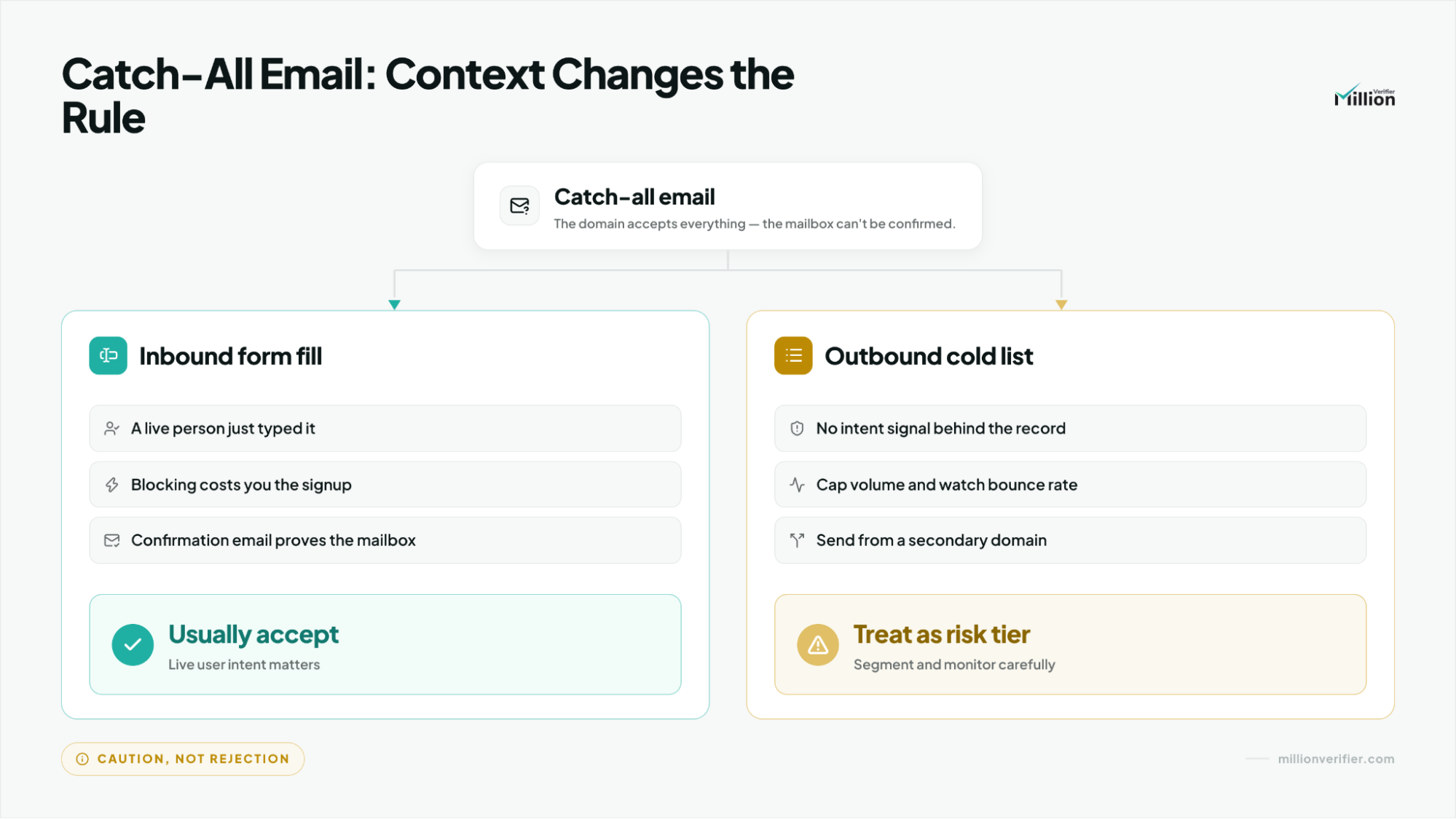
Catch-all handling should change with context. A catch-all result does not mean the same thing in inbound and outbound verification.
In inbound, a catch-all typed directly by a user is often worth accepting because there is a live intent signal behind it.
In outbound, a catch-all pulled from a scraped or purchased list is riskier because there is no intent signal at all.
A safer outbound policy is to:
- segment catch-all records,
- keep them out of your safest send tier,
- test them with a cautious drip strategy,
- monitor results before scaling.
The principle is consistent: user-entered ambiguity is different from list-sourced ambiguity.
How do you maintain CRM hygiene after initial verification?
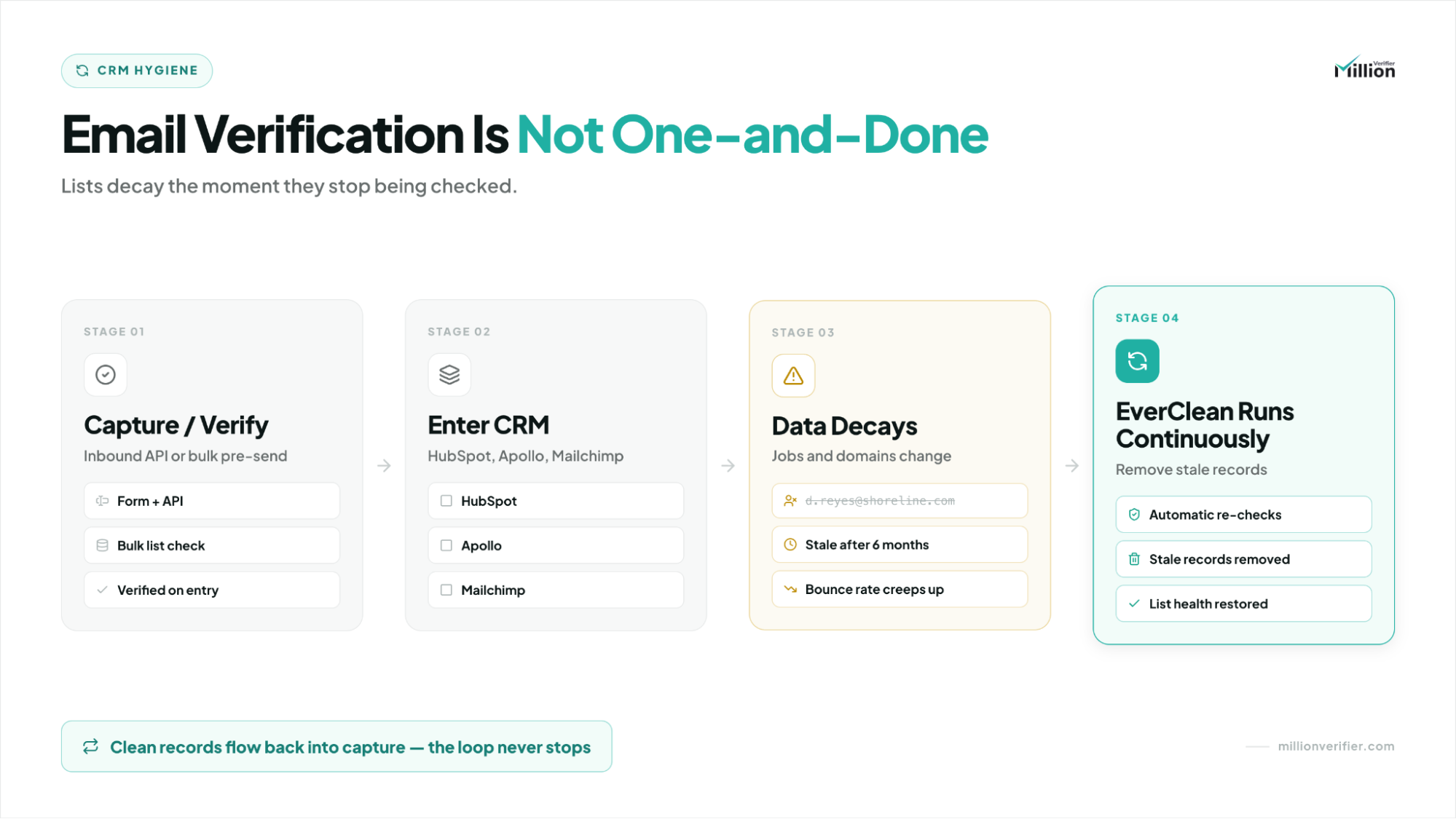
Verification is not a one-time event. Once records enter systems like HubSpot, Apollo, or Mailchimp, they begin to decay.
People change jobs. Domains expire. Previously valid inboxes go stale. That is why teams need a routine hygiene schedule after capture and before future sends.
This is where scheduling regular cleanups with the MillionVerifier Bulk Email Verifier fits naturally. By routinely exporting and verifying your active lists, you keep CRM and marketing data healthy over time so teams do not wait for bounce problems to reveal that the database has drifted.
Ongoing hygiene supports:
- cleaner routing,
- better segmentation,
- more dependable campaign performance,
- stronger lifecycle reporting.
What is the simplest policy to implement?
If you need one practical operating model, use the MillionVerifier API at the point of entry for inbound forms, and use the MillionVerifier Bulk Email Verifier before cold outbound sends and for routine CRM maintenance.
That approach matches the real difference between the workflows: inbound is conversion-sensitive (blocking bad data before it enters), while outbound and long-term CRM hygiene are sender-risk-sensitive (ensuring your lists remain safe to send to).
Frequently Asked Questions
Should B2B SaaS teams block free-mail addresses on every inbound form?
No. Free-mail filtering should be selective, not universal. If your routing or qualification model depends on a corporate domain, blocking or flagging free-mail on specific high-intent forms can make sense. If not, a softer approach is safer because some legitimate buyers still convert with Gmail or similar addresses.
When is MillionVerifier API the right choice instead of Bulk Email Verifier?
Use MillionVerifier API when the address is being captured live on a form, signup, or landing page. It fits inbound workflows because speed and typo correction matter at the point of entry. MillionVerifier Bulk Email Verifier fits stored outbound lists that need stricter pre-send screening rather than real-time UX protection.
Why are deep SMTP checks more important for outbound than inbound?
Because outbound verification is about sender-domain protection before a campaign goes live. With no live user waiting, deeper checks are worth the extra rigor. MillionVerifier Bulk Email Verifier uses deep SMTP-based verification to surface hard-bounce and invalid-domain risk before the first email is sent.
How should teams treat catch-all emails from scraped outbound lists?
Treat them cautiously. Catch-all records from scraped outbound lists should usually be segmented away from the safest send pool, tested slowly, and monitored before scaling. They do not carry the same trust signal as a catch-all address entered directly by a real user on an inbound form.
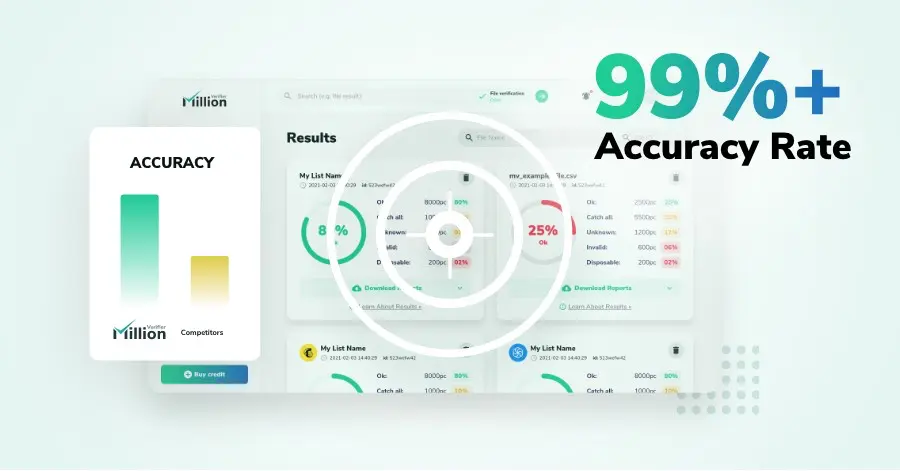
We have kept improving our email verification software for over six years now, and we are incredibly proud of our outstanding 99%+ email verification accuracy.
We have created MillionVerifier to provide the best email verification service possible for email marketers with higher email verification needs.

Our customers love what we do. We work hard to deliver the best results and user experience for our customers.