How to Block Disposable Emails in SaaS Signups (Without Killing Conversions)
- Disposable emails distort SaaS signup metrics, increase free-trial abuse, and quietly hurt deliverability when temporary inboxes vanish mid-onboarding.
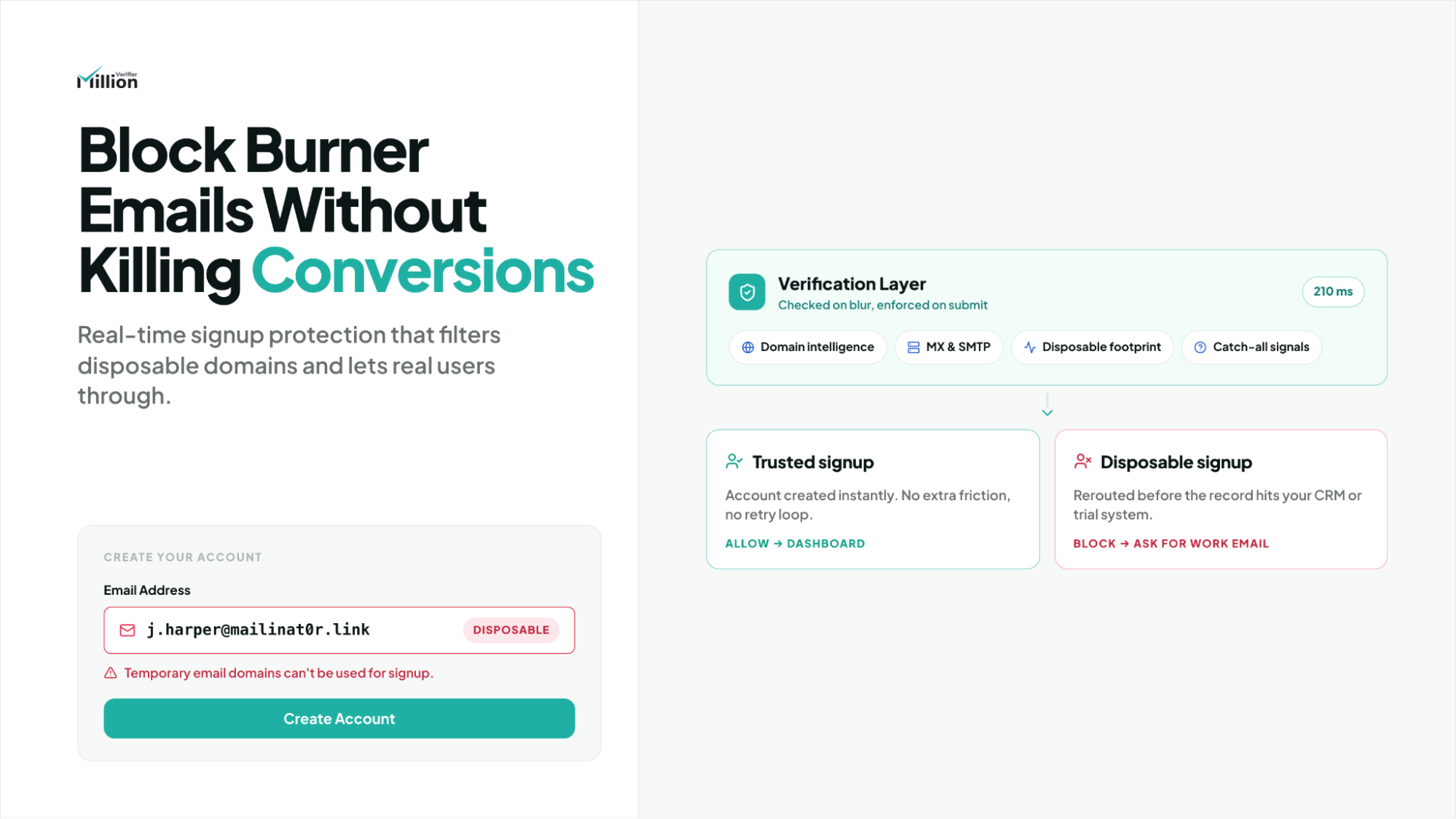
- The safest implementation is a hybrid approach: real-time verification on the frontend for fast feedback, plus backend enforcement so the rule cannot be bypassed.
- MillionVerifier helps teams detect burner domains, catch-all risk, and ambiguous signup cases in real time without turning onboarding into a conversion bottleneck.
Disposable emails look harmless until the downstream damage starts piling up. A signup lands, your top-of-funnel dashboard goes up, and your free-trial numbers seem healthy. But if those accounts were created with self-destructing inboxes, the growth signal is misleading from the start.
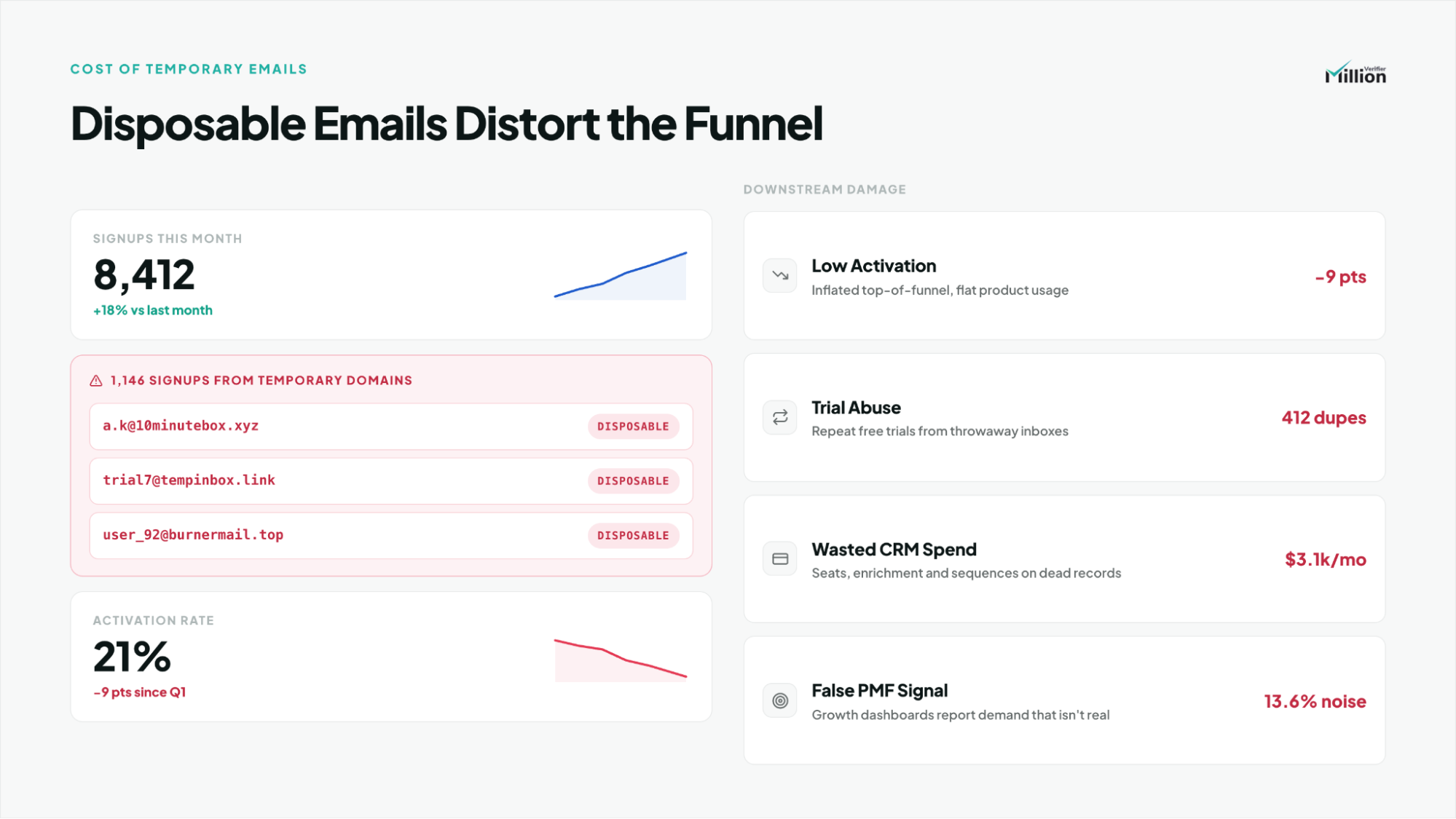
That is why burner-email blocking is not just a list-hygiene task. It is a growth-quality decision. Left unchecked, disposable emails skew conversion reporting, waste CRM seats, distort product-market-fit signals, and create a delayed bounce problem that weakens sender reputation over time.
The good news is that you do not have to choose between fraud control and smooth onboarding. With a real-time email verification API, thoughtful UI timing, and backend enforcement, you can stop low-quality signups without adding visible friction for legitimate users.
Why Do Users Sign Up With Temporary Emails (And What It Costs Your SaaS)?
Temporary emails are usually used to bypass commitment, extend free access, or protect privacy, but they create misleading growth signals for SaaS teams.
Users typically sign up with burner emails when they want to:
- start a free trial without using a real inbox
- avoid lifecycle emails or sales follow-up
- create multiple accounts after a trial expires
- bypass paywalls, seat limits, or product usage caps
- access gated content without leaving a durable lead record
At first, that can look like harmless signup noise. In practice, it creates compounding cost across the funnel.
Disposable-email signups can lead to:
- inflated top-of-funnel metrics
- lower activation and onboarding quality
- weaker lead scoring and segmentation accuracy
- wasted CRM seat licenses and automation spend
- repeated free-trial abuse that never becomes revenue
- the illusion of product-market fit when demand quality is actually weak
This is why founders, product teams, and RevOps leaders should treat disposable-email abuse as a data-quality problem, not just a signup annoyance. If low-intent accounts enter the funnel unchecked, the entire business starts optimizing around the wrong signal.
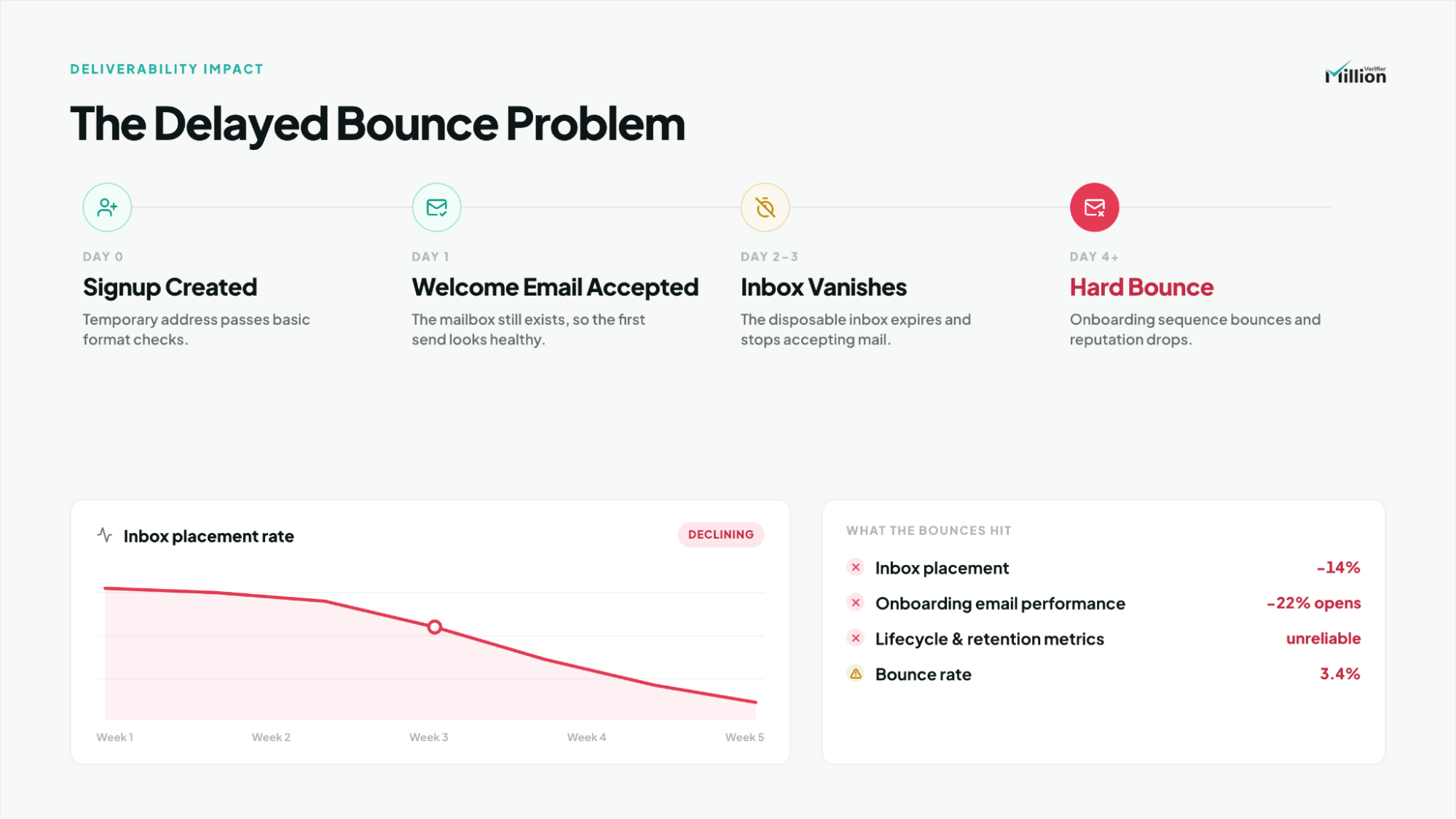
The Hidden Impact on Deliverability and Sender Reputation
Disposable emails can also create a delayed deliverability problem that is easy to misread.
A temporary inbox may accept the first welcome email or account confirmation message. Then the inbox disappears. On Day 2 or Day 3, the rest of your onboarding sequence starts hard bouncing because the mailbox no longer exists.
That delayed bounce effect can quietly damage:
- sender reputation
- inbox placement with Google and Yahoo
- onboarding email performance for legitimate users
- confidence in lifecycle metrics and experimentation results
In other words, disposable-email abuse does not only corrupt acquisition data. It can also weaken the email channel your SaaS depends on to activate real accounts.
How a Real-Time Email Verification API Detects Burner Domains
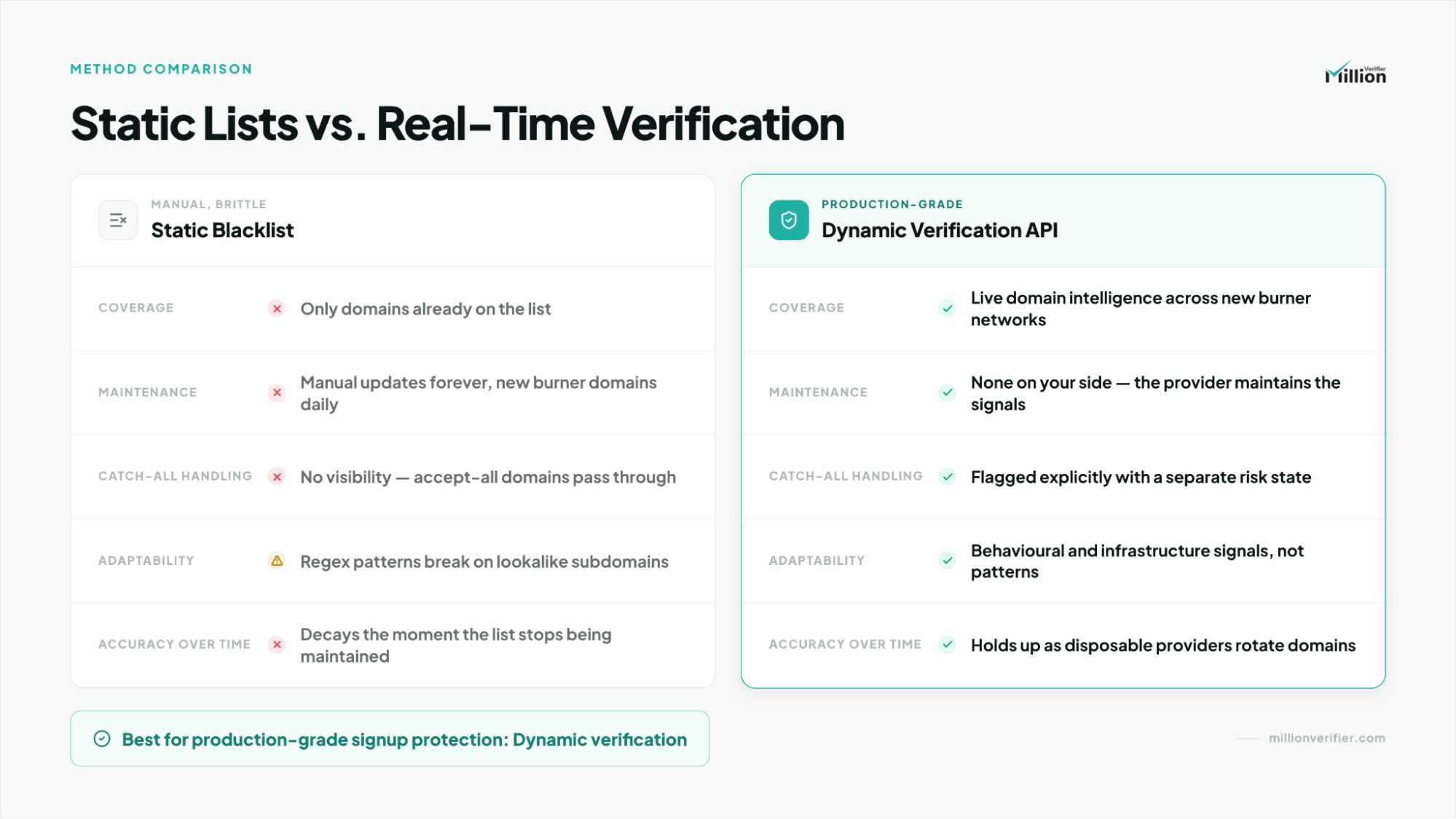
A real-time email verification API detects burner emails by evaluating domain, mailbox, and delivery signals instead of relying only on static blocklists.
That distinction matters because a static open-source list may catch obvious domains like Mailinator or 10MinuteMail, but it will miss the new domains that disposable-email operators register constantly. A dynamic verification workflow is built to evaluate the address as it exists now, not only against yesterday's blacklist.
MillionVerifier fits this model by helping teams verify whether an address behaves like part of a temporary-email ecosystem instead of trusting a domain-name match alone.
Static Regex Blacklists vs. Dynamic SMTP Verification
Static lists fail because burner providers adapt faster than most SaaS teams can maintain their own rules. Thousands of new domains can appear constantly, and disposable operators intentionally rotate patterns to avoid simplistic regex filters.
Dynamic verification is stronger because it checks the address in context, which is exactly what production signup protection requires.
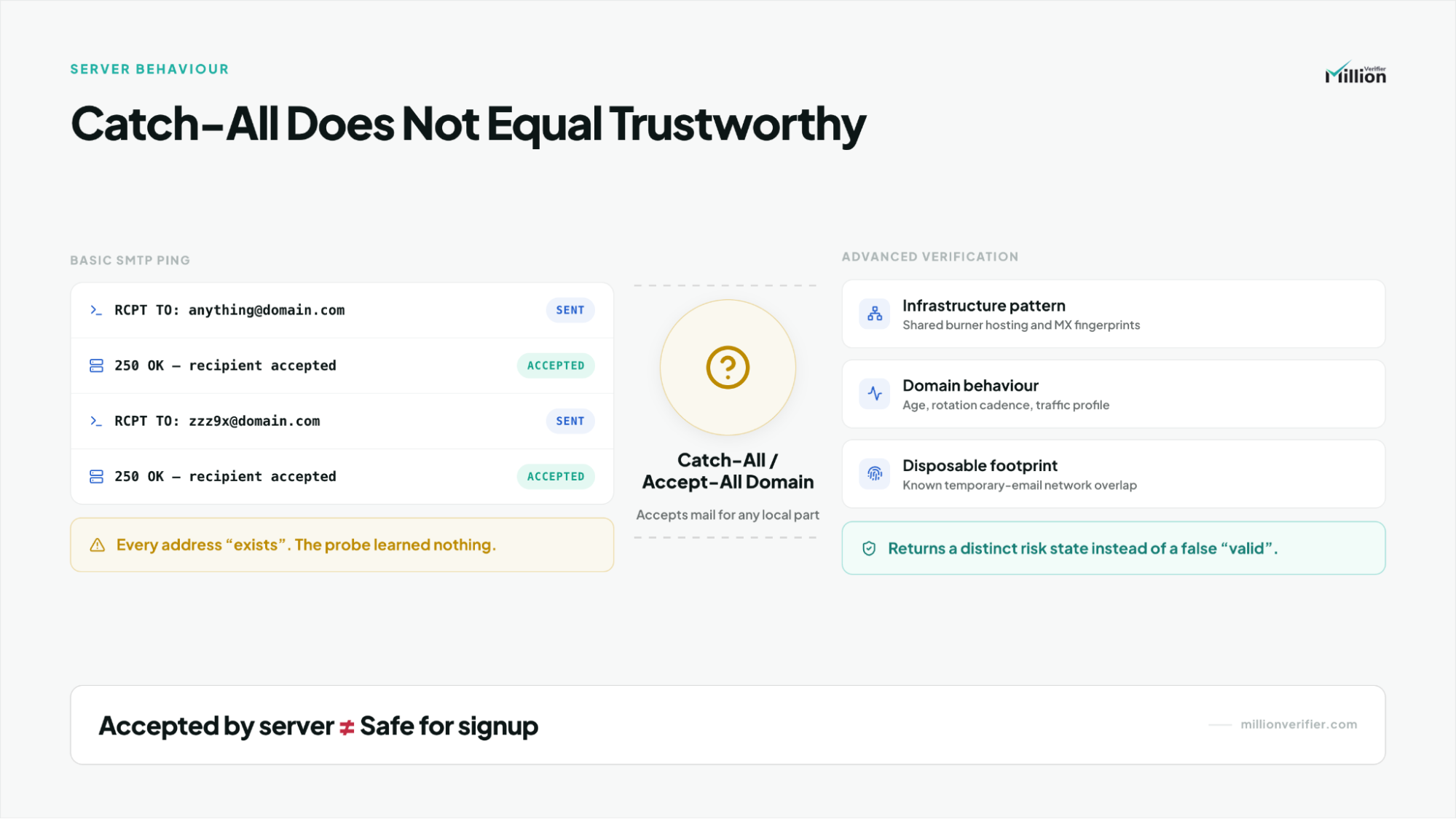
Why "Catch-All" Servers Trick Basic Pings (And How Advanced APIs Handle It)
A catch-all or accept-all domain is configured to accept mail for almost any mailbox name. That can fool basic SMTP checks.
If your verification logic only asks whether the mail server will accept a message, the answer may look positive even when the address belongs to a disposable-email provider. That is why catch-all behavior is often used as camouflage.
Advanced APIs handle this by looking beyond the first acceptance signal. MillionVerifier's deeper checks are designed to identify disposable network footprints, infrastructure patterns, and temporary-email behavior even when a domain appears catch-all on the surface.
The key takeaway is simple: a catch-all response is not the same as a trustworthy mailbox.
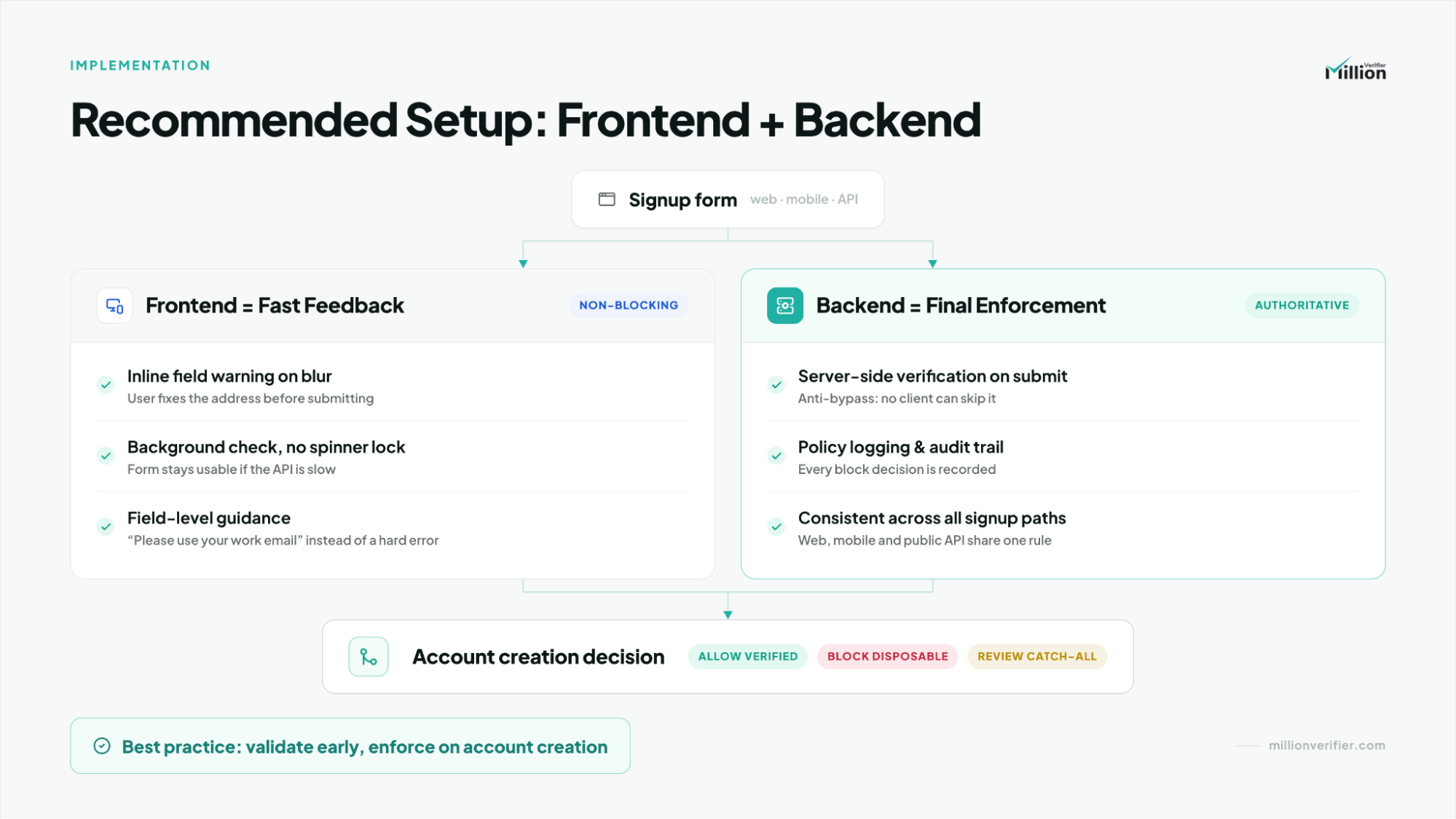
Frontend vs. Backend: Where Should You Implement the API?
For most SaaS products, the correct answer is both: frontend for user experience and backend for security.
Frontend (Browser)Use frontend verification to keep the flow fast and clear.
- highlight the field immediately when a burner address is detected
- show a specific inline message before the user hits a hard failure
- reduce confusion and retry loops
- run validation while the user is still filling out the rest of the form
Backend (Server)Use backend verification for final enforcement.
- prevent users from bypassing the check by disabling JavaScript
- apply the same policy across web, mobile, and API-driven signup flows
- keep decision logging available for support, analytics, and fraud review
- make disposable-email blocking a real rule instead of a UI suggestion
Recommended hybrid workflowRun the check in the browser for immediate feedback, then repeat or confirm it on the server before account creation succeeds.
If you maintain technical documentation, this section is also the natural place to internally link to your Developer's Guide to Real-Time Email Verification & APIs.
How to Maintain Zero-Friction Onboarding When Blocking Emails
You can block disposable emails without hurting signup conversion if verification runs asynchronously and enforcement happens server-side.
A strong verification API should return a result in milliseconds, so the real UX issue is timing, not just speed. The best implementations do not make users wait after they click Submit. Instead, they verify in the background while the user is still completing the form.
Best practices include:
- trigger the check on blur or after a short typing pause
- run the request while the user is entering their password or completing the next field
- avoid blocking the entire form unless the email truly needs correction
- preserve all other form inputs if the address is rejected
- keep feedback inline, specific, and visually close to the email field
When done well, verification feels invisible to legitimate users.
Handling False Positives and Custom Company Domains
A newly registered company domain is not automatically a disposable domain.
That is why strong verification does not rely on age alone. MillionVerifier-style detection works by looking at a broader signal set: delivery behavior, infrastructure patterns, domain characteristics, and whether the environment resembles a real monitored mailbox or a temporary-email network.
This multi-signal approach is what helps reduce false positives while still flagging suspicious signups.
When you do reject an address, the message shown to the user should be specific and actionable.
Use:
Please use your primary work email to continue.
Avoid:
- Error
- Invalid request
- This email is not allowed
- Email rejected
Clear messaging reduces abandonment and keeps the correction step from feeling like a broken form.
The Ideal Implementation Strategy
For the best results, hand these three requirements to your engineering team:
- Trigger verification in the background when the user clicks out of the email field (on blur).
- Provide immediate, inline feedback if a burner domain is detected, asking for a work email without clearing the rest of their form data.
- Enforce the rule on the server side so tech-savvy users cannot bypass the filter by disabling JavaScript.
Can Users Bypass Filters? (Apple's "Hide My Email" and Edge Cases)
Yes, some users can bypass weak filtering, and some edge cases are not abuse at all.
Here is the right way to separate them:
- Gmail aliases such as [email protected] still route to a real inbox
- Apple Hide My Email forwards to a real monitored inbox, even though it masks the underlying address
- Forwarding privacy services may hide identity without being disposable
- True burner inboxes are specifically designed to be short-lived and non-durable
That is why blocking Apple's privacy relay addresses is a business decision, not a purely technical limitation. MillionVerifier can provide the signal to flag them, but Product and RevOps should decide whether to allow or restrict them based on audience expectations, abuse exposure, and signup policy.
Frequently Asked Questions
Can I block disposable emails without hurting SaaS signup conversion rates?
Yes. If verification runs in the background and final enforcement happens on the backend, most legitimate users will never feel the extra step. MillionVerifier-style real-time verification works best when it is timed around natural form behavior instead of being triggered only after submission.
Why do disposable emails damage SaaS metrics so much?
Because they inflate signup counts while lowering real activation quality. They also waste CRM capacity, distort trial-to-paid reporting, and can create false product-market-fit confidence. MillionVerifier helps reduce that noise by filtering low-quality addresses before they enter the funnel.
What is the difference between a disposable email and a catch-all domain?
A disposable email is designed for short-term use and often disappears quickly. A catch-all domain simply accepts mail for many or all mailbox names. Not every catch-all result is disposable, which is why deeper verification logic matters more than a basic SMTP acceptance check.
Should I run email verification on the frontend, backend, or both?
Both. Frontend verification improves user experience with immediate inline feedback. Backend verification is mandatory for true enforcement because users can bypass browser-side checks. MillionVerifier is most effective when teams combine both layers in the same signup workflow.
Should Apple Hide My Email be blocked by default?
It depends. Apple's relay addresses forward to a real inbox, so they are not the same as self-destructing disposable emails. MillionVerifier can flag the signal, but the final decision should reflect your audience, abuse risk, and whether privacy-preserving addresses are acceptable in your product motion.
Conclusion
Blocking disposable emails is not about making signup harder. It is about protecting trial integrity, improving data quality, and preventing hidden deliverability damage without creating friction for real users.
If you want a practical next step, review your MillionVerifier API documentation, test verification on blur plus server-side enforcement, and measure the impact on trial abuse, onboarding bounce rates, and signup quality over time.
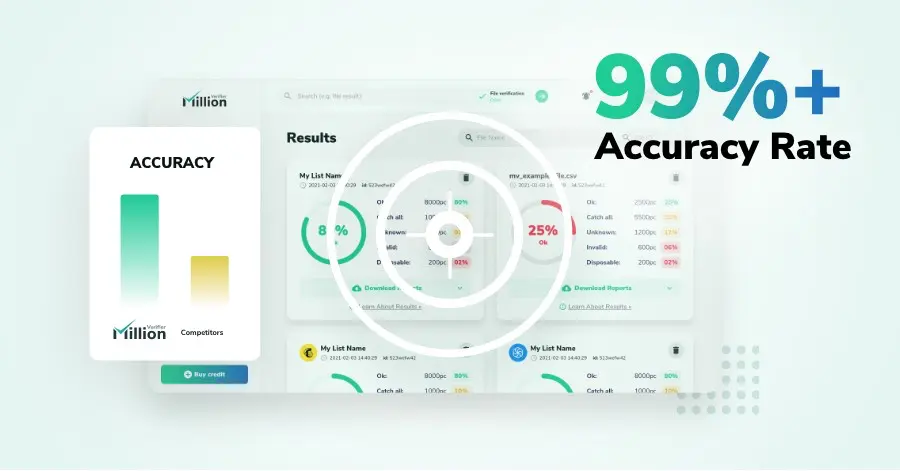
We have kept improving our email verification software for over six years now, and we are incredibly proud of our outstanding 99%+ email verification accuracy.
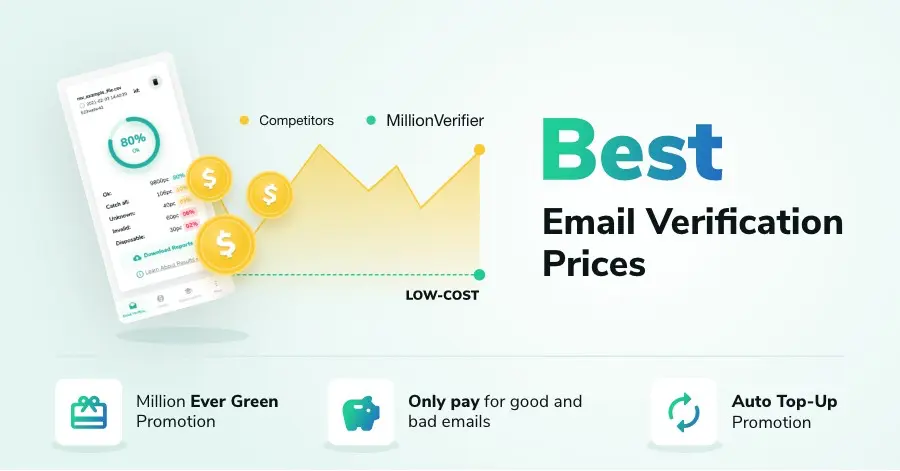
We have created MillionVerifier to provide the best email verification service possible for email marketers with higher email verification needs.

Our customers love what we do. We work hard to deliver the best results and user experience for our customers.