The Developer’s Guide to Real-Time Email Verification & APIs
- Real-time email verification helps validate addresses at the point of entry, before bad data reaches your database.
- For developers, the main value is operational: fewer bounced emails, cleaner CRM records, lower fraud risk, and better signup quality.
- API-based verification can support common enforcement rules such as blocking disposable domains, flagging free email providers, and suggesting typo corrections.
- A well-designed integration balances latency, UX, and reliability by combining synchronous checks with asynchronous follow-up where needed.
- Response payloads matter: developers should interpret fields like result, free, and didyoumean in the context of product policy.
- Implementation is typically straightforward: capture the email, call the API, evaluate the JSON response, and decide whether to allow, warn, or block.
Get Your API Key & Read the Documentation
What is Real-Time Email Verification?
Real-time email verification is an API-driven process that validates an email address at the exact moment of entry—typically on a signup or checkout form. It returns a sub-second JSON response, allowing systems to block invalid, disposable, or high-risk emails before they enter the database.
For developers, this is fundamentally a data-quality and risk-control layer. Instead of accepting every submitted address and cleaning the list later, your application can evaluate the email during signup, checkout, lead capture, or account creation.
In practice, a real-time verification API is often used to answer questions like:
- Is the email syntactically valid?
- Does the domain appear to accept mail?
- Is the address associated with a disposable email provider?
- Is it a free email account when your workflow requires a business domain?
- Is there a likely typo in the domain, such as gmal.com instead of gmail.com?
The exact checks and response times vary by provider, and claims such as sub-second responses or 99.9% SLA uptime should be treated as product positioning unless confirmed in the official documentation. But the architectural pattern is consistent: submit an email, receive a JSON response, and apply your business rules immediately.
The Hidden Cost of Post-Signup Bulk Cleaning
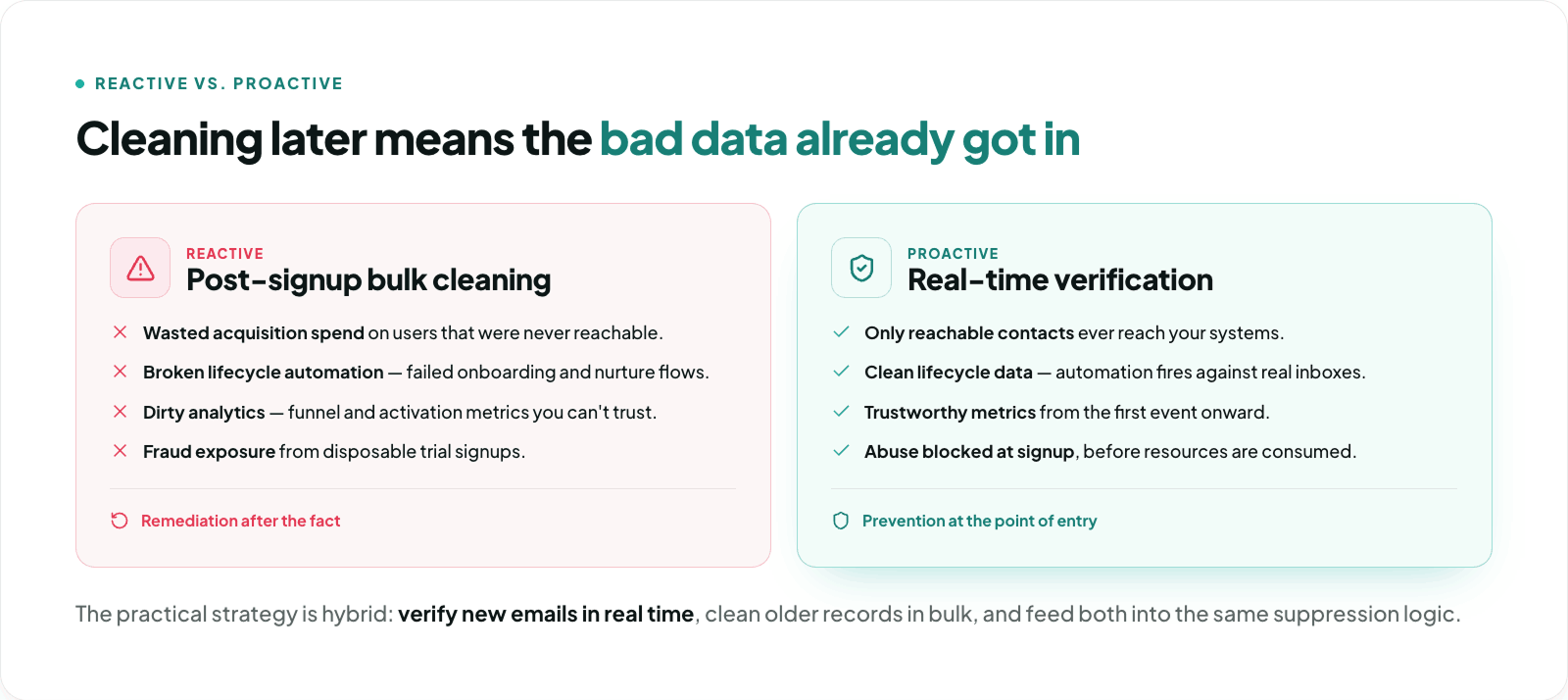
Bulk email cleaning has its place, especially for legacy databases. But relying on it as your primary defense means bad records have already entered your systems.
That creates downstream costs:
- Wasted acquisition spend: You pay to acquire users or leads that were never reachable.
- Broken lifecycle automation: Invalid addresses trigger failed onboarding, abandoned nurture flows, and incomplete customer journeys.
- Dirty analytics: Conversion rates, activation metrics, and funnel attribution become less trustworthy.
- Support overhead: Teams spend time investigating “missing emails” that were undeliverable from the start.
- Fraud exposure: Disposable or low-quality signups can consume free-trial resources before they are ever reviewed.
From an engineering perspective, post-signup cleaning is reactive. Real-time verification is preventive. It reduces the need for later remediation jobs, manual review queues, and CRM cleanup projects.
A practical strategy is often hybrid:
- Verify new emails in real time.
- Periodically clean older records in bulk.
- Feed both workflows into the same suppression and risk logic.
That approach keeps new data clean while improving the quality of historical records over time.
Defeating SaaS Free-Trial Abuse: Blocking Disposable Emails
If you run a SaaS product with a free trial, disposable email detection is one of the most immediately useful controls you can add.
Temporary inbox services make it easy for users to create repeated accounts, bypass trial limits, and consume free-tier resources with little friction. A real-time email verification API can help by checking whether the submitted domain belongs to a known disposable email provider.
In the MillionVerifier positioning provided in the brief, this is framed as a real-time database of 10-minute mail domains that can be used to reject temporary signups before an account is created.
That matters because disposable signups can distort core SaaS metrics:
- trial-to-paid conversion rate
- user activation rate
- product-qualified lead counts
- onboarding completion metrics
- infrastructure usage per trial cohort
A typical implementation pattern is simple:
- user submits signup form
- backend sends email to verification API
- API returns a disposable-email signal
- application blocks the signup or routes it to manual review
Example policy:
JavaScript
if (verification.result === "disposable") {
  return res.status(400).json({
    error: "Please use a permanent business email address."
  });
}
This is one of the clearest examples of why real-time verification is not just about deliverability—it is also about abuse prevention.
Enforcing B2B Signups: How to Block Free Email Providers
Many B2B companies do not want demo requests, lead forms, or account applications submitted with personal inboxes like @gmail.com, @yahoo.com, or @outlook.com.
That is not because free email accounts are inherently invalid. It is because they often reduce lead quality, complicate account qualification, and make firmographic enrichment less reliable.
If the verification API returns a field such as free: true, developers can use that signal to enforce a work-email-only policy.
Example backend logic:
JavaScript
if (verification.free === true) {
  return res.status(400).json({
    error: "Please enter your corporate email address to continue."
  });
}
This is especially useful when your product or sales motion is explicitly B2B-only. It helps:
- improve lead routing
- reduce unqualified demo requests
- preserve cleaner account data
- increase the accuracy of company-level enrichment
One important nuance: not every form should use the same rule. A newsletter signup may allow free email accounts, while an enterprise demo request may require a corporate domain.
API Architecture & Latency (Built for Scale)
Developers care about one thing before almost anything else: will this API slow down my application?
For real-time verification to work in production, latency must be low enough that users do not feel friction during form submission. The brief positions MillionVerifier as delivering sub-second responses with 99.9% SLA uptime and the ability to handle concurrent requests during high-traffic events.
Those are the right architectural goals for this category of API:
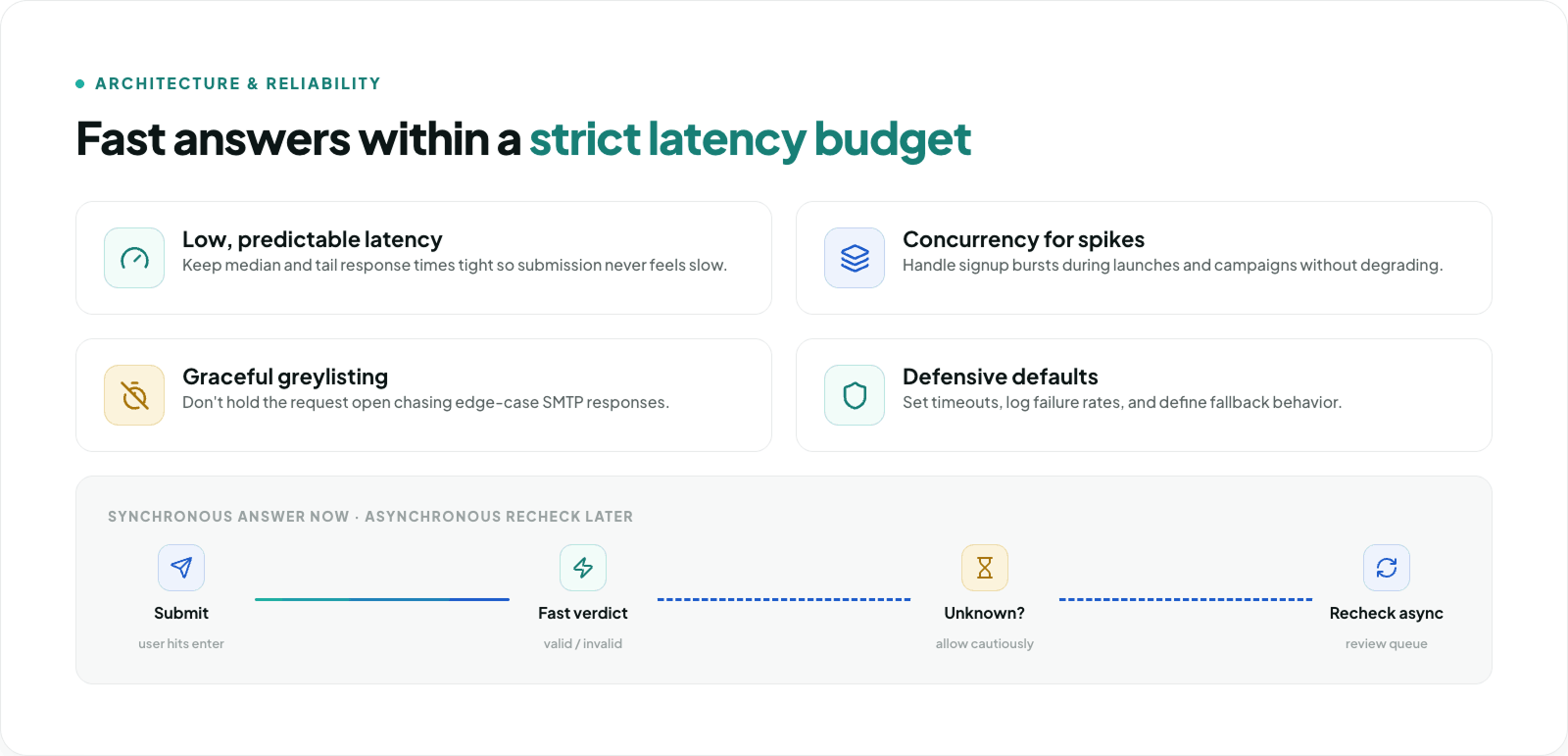
- low median response time
- predictable tail latency
- graceful degradation under load
- stable uptime
- concurrency support for signup spikes, launches, and campaigns
In implementation terms, you should still design defensively:
- set client-side and server-side timeouts
- avoid blocking critical flows indefinitely
- log latency and failure rates
- define fallback behavior for uncertain responses
Even when a provider advertises strong performance, your application should assume that networks fail, upstream services degrade, and edge cases will happen.
Handling Greylisting & Timeouts (Synchronous vs. Asynchronous)
One of the biggest concerns with email verification APIs is SMTP-level uncertainty.
Some receiving mail servers use greylisting, a behavior that temporarily delays or rejects unfamiliar verification attempts. If an API waits too long trying to get a definitive answer from the remote server, your frontend can stall and your signup flow can suffer.
That is why a good real-time verification architecture does not aim for perfect certainty on every request. It aims for fast, usable answers within a strict latency budget.
The pattern developers want is this:
- return a definitive result quickly when possible
- return an unknown or equivalent status when certainty would take too long
- avoid holding the request open for 10–15 seconds just to chase an edge-case SMTP response
A practical routing model looks like this:
- valid -> allow
- invalid -> block
- disposable -> block or review
- free_email -> block only on B2B-gated forms
- unknown / timeout -> allow cautiously, then recheck asynchronously
This protects both UX and system reliability. Your application remains responsive, and your operations team can still review uncertain addresses later if needed.
Interpreting the API Response: The JSON Payload
The exact response schema depends on the provider, but developers typically wire their logic around a small set of high-value fields.
Here is an example payload structure matching MillionVerifier's v3 API response:
JSON
{
  "email": "[email protected]",
  "quality": "bad",
  "result": "invalid",
  "resultcode": 6,
  "subresult": "string",
  "free": false,
  "role": false,
  "didyoumean": "[email protected]",
  "error": ""
}
Here is how to think about the key fields:
- result: The primary verification outcome. Values include
ok,catch_all,unknown,error,disposable, orinvalid. - quality: A high-level assessment of the email (e.g., good, bad, risky).
- free: Indicates whether the mailbox provider is a consumer/free provider rather than a corporate domain.
- role: Indicates if the email is a role-based address (e.g., admin@, support@).
- didyoumean: A suggested correction when the domain appears mistyped.
- subresult: Provides granular diagnostic insight into why a specific result was returned.
Example routing logic:
JavaScript
switch (verification.result) {
  case "invalid":
    block("Please enter a valid email address.");
    break;
  case "disposable":
    block("Disposable email addresses are not allowed.");
    break;
  case "unknown":
  case "error":
    allowWithReview();
    break;
  case "ok":
  case "catch_all":
    if (verification.free === true) {
      block("Please use your work email address.");
    } else {
      allow();
    }
    break;
  default:
    allowWithReview();
}
This is where the API becomes operationally useful: the JSON payload maps directly to product rules.
Improving UX with Real-Time Typo Correction
A hard rejection is not always the best user experience—especially when the user’s intent is valid but the domain is mistyped.
For example, if someone enters [email protected], the best outcome may be to catch the likely typo and suggest [email protected] before the form is submitted.
That helps you:
- rescue legitimate leads
- reduce frustration
- improve form completion rates
- prevent avoidable bounce events
A frontend prompt might look like this:
JavaScript
if (verification.didyoumean) {
  showSuggestion(`Did you mean ${verification.didyoumean}?`);
}
This is one of the strongest arguments for combining backend enforcement with frontend guidance. The backend protects the system; the frontend improves the user journey.
Frontend vs. Backend Integration Strategies
Developers often ask whether email verification should happen in the browser or on the server.
The answer is straightforward: backend verification is required for enforcement.
Frontend validation can improve responsiveness and UX, but it is not a security boundary. A malicious actor can bypass JavaScript checks, replay requests, or submit directly to your backend.
The safest architecture is:
- Frontend: basic syntax validation, loading states, typo suggestions, inline messaging
- Backend: API authentication, verification request, final allow/block decision, audit logging
This is especially important when you are:
- blocking disposable domains
- enforcing B2B-only signup rules
- protecting free trials
- preventing abuse at scale
If the rule matters to the business, enforce it on the server side.
Security, Rate Limiting, and GDPR Compliance
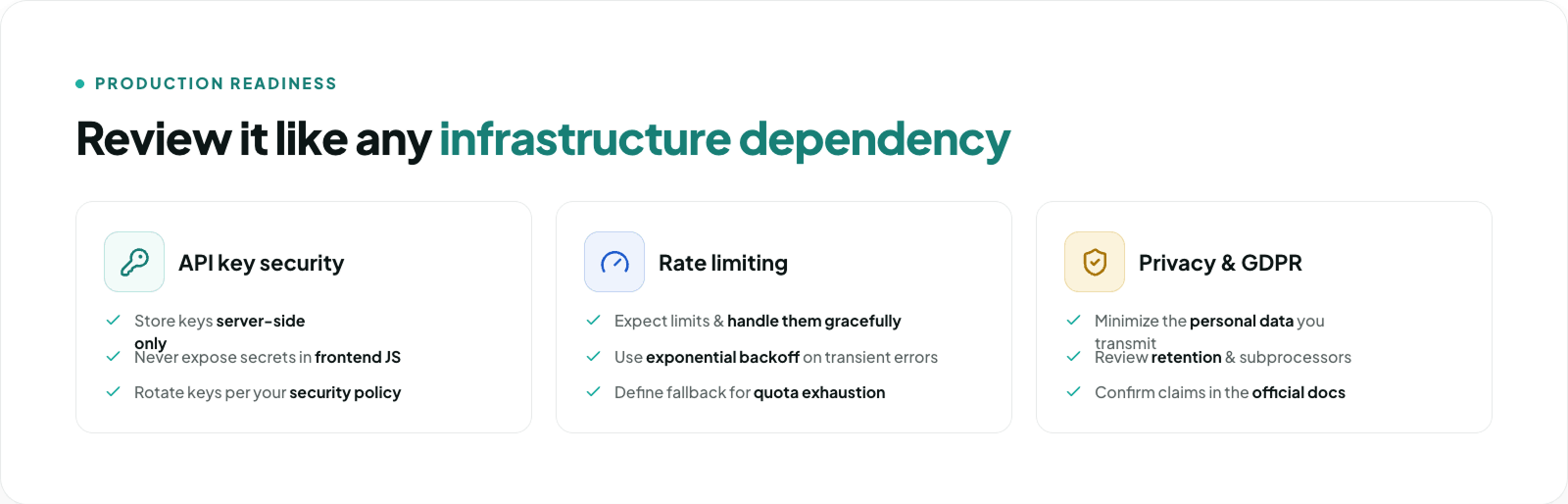
Any external verification API introduced into your signup flow should be reviewed like any other infrastructure dependency.
At minimum, developers and IT teams will want to evaluate:
- API key security
- Store API keys server-side only.
- Never expose secret credentials in frontend JavaScript.
- Rotate keys according to your internal security policy.
- Rate limiting
- Expect rate limits and handle them gracefully.
- Retry only when the provider’s guidance allows it.
- Use exponential backoff for transient failures.
- Define fallback behavior for quota exhaustion.
- Privacy and compliance
- The brief calls for strict GDPR compliance and no long-term data storage from API endpoints. Those are important claims, but they should be confirmed directly in the provider’s official compliance and privacy documentation.
From an implementation standpoint, you should still:
- minimize the personal data you transmit
- document the processor/subprocessor relationship if applicable
- review retention behavior
- align your privacy notice and vendor review process accordingly
Security and compliance are not afterthoughts. They are part of production readiness.
Getting Started: The 5-Minute Implementation
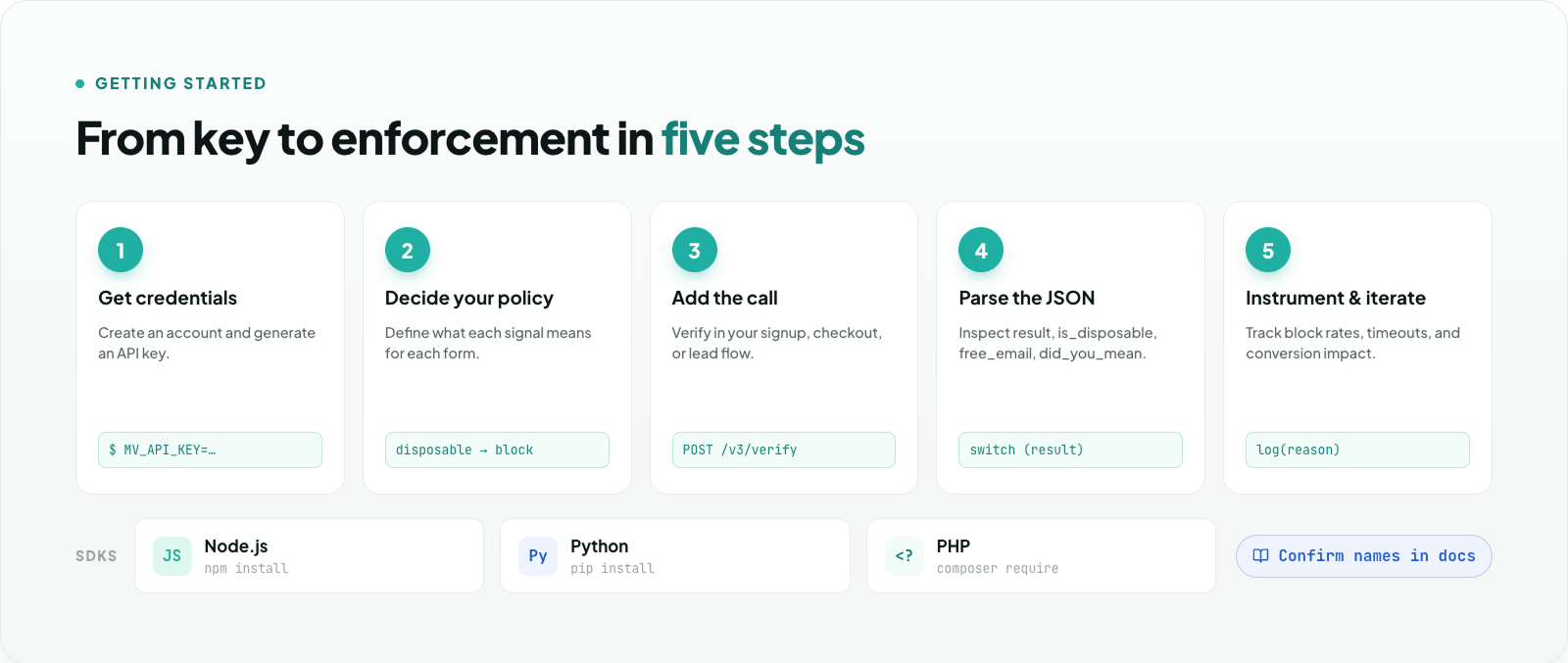
A minimal implementation can usually be broken into five steps.
1. Get credentials
Create an account, generate an API key, and review the authentication method in the docs.
2. Decide your enforcement policy
Before writing code, define what each signal means in your application.
For example:
- invalid email -> block
- disposable email -> block free trial
- free email -> block enterprise demo form
- typo suggestion -> prompt user to confirm
- timeout -> allow and recheck asynchronously
3. Add the API call
Integrate the verification request in your signup, checkout, or lead form flow.
4. Parse the JSON response
At minimum, inspect:
- result
- free
- role
- didyoumean
5. Instrument and iterate
Track:
- verification success/failure rates
- block rates by reason
- typo correction acceptance
- timeout frequency
- conversion impact
A simple backend pseudocode example:
JavaScript
async function handleSignup(email) {
  const verification = await verifyEmail(email);

  if (verification.result === "invalid") {
    return { allowed: false, message: "Please enter a valid email address." };
  }

  if (verification.result === "disposable") {
    return { allowed: false, message: "Please use a permanent email address." };
  }

  if (verification.free === true) {
    return { allowed: false, message: "Please use your work email address." };
  }

  if (verification.didyoumean) {
    return {
      allowed: true,
      suggestion: verification.didyoumean
    };
  }

  return { allowed: true };
}
From there, you can refine the logic by form type, customer segment, and risk tolerance.
Frequently Asked Questions
Is real-time email verification better than bulk email cleaning?
For new signups, yes - because it prevents bad data from entering your systems in the first place. Bulk cleaning is still useful for historical databases, but it is not a substitute for point-of-entry validation.
Can I block disposable email addresses during signup?
Yes. If your verification provider returns a disposable-email signal (such as result: "disposable" in MillionVerifier's API), you can intercept it. Whether you hard block or soft warn depends on your product policy.
How do I block free email providers for B2B forms?
Use the API response field that distinguishes consumer mailbox providers from business domains (in MillionVerifier, this is checking if free: true), then enforce that rule only on the forms where it matters.
What does a "catch_all" result mean?
A catch_all result indicates that a domain accepts mail for any and all recipient names at that domain, even if the specific inbox doesn't technically exist. This can make verification less definitive. It is usually best treated as a caution flag rather than an automatic rejection.
Should verification happen on the frontend or backend?
For most production systems, backend enforcement is the safer default. Frontend validation is useful for UX, but final decisions should usually be enforced server-side.
What if the API times out?
Do not let every timeout become a lost conversion. Many teams allow the submission, mark the record for asynchronous review, and apply downstream controls if needed.
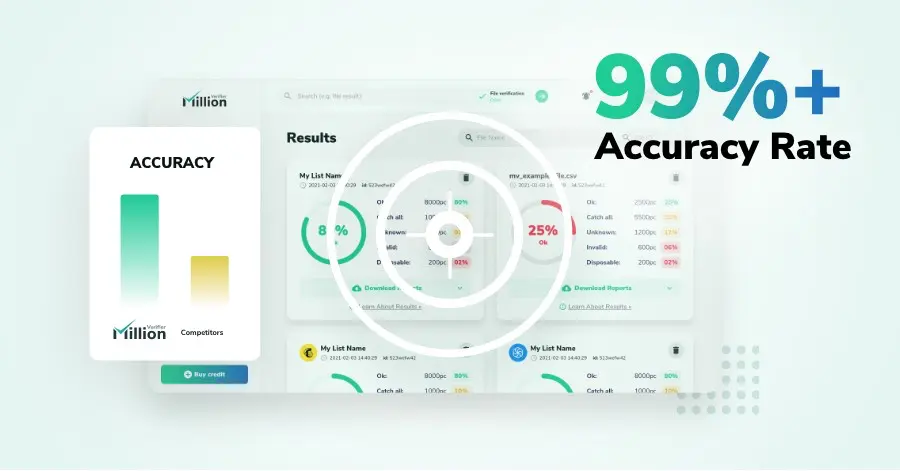
We have kept improving our email verification software for over six years now, and we are incredibly proud of our outstanding 99%+ email verification accuracy.
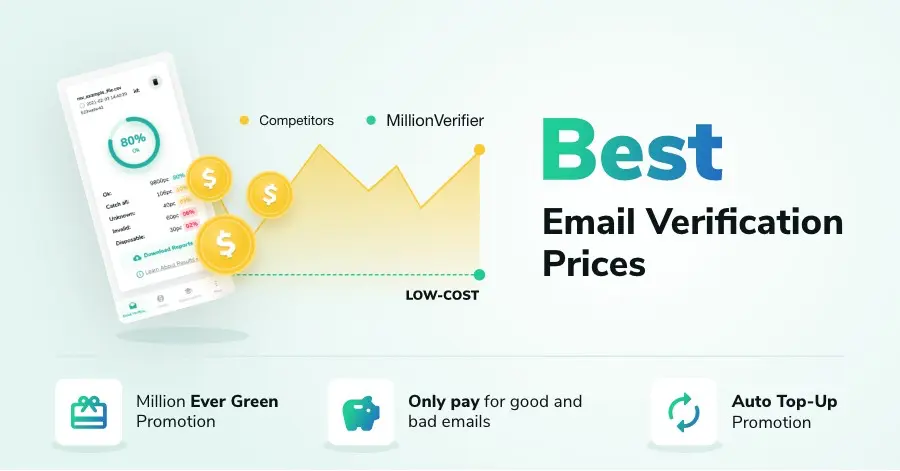
We have created MillionVerifier to provide the best email verification service possible for email marketers with higher email verification needs.

Our customers love what we do. We work hard to deliver the best results and user experience for our customers.