How to Handle Catch-All and Risky Emails (Without Ruining Deliverability)
If you send B2B cold email, sooner or later you run into the same problem: a large chunk of your list gets labeled catch-all or risky. Those contacts may still be real, valuable prospects—but sending to them blindly can damage deliverability, waste budget, and increase bounce-related risk.
The good news: you do not have to choose between deleting everything risky and spraying the whole list. With the right process, you can separate opportunity from danger and keep your sender reputation intact.
What is a Catch-All Email Address?
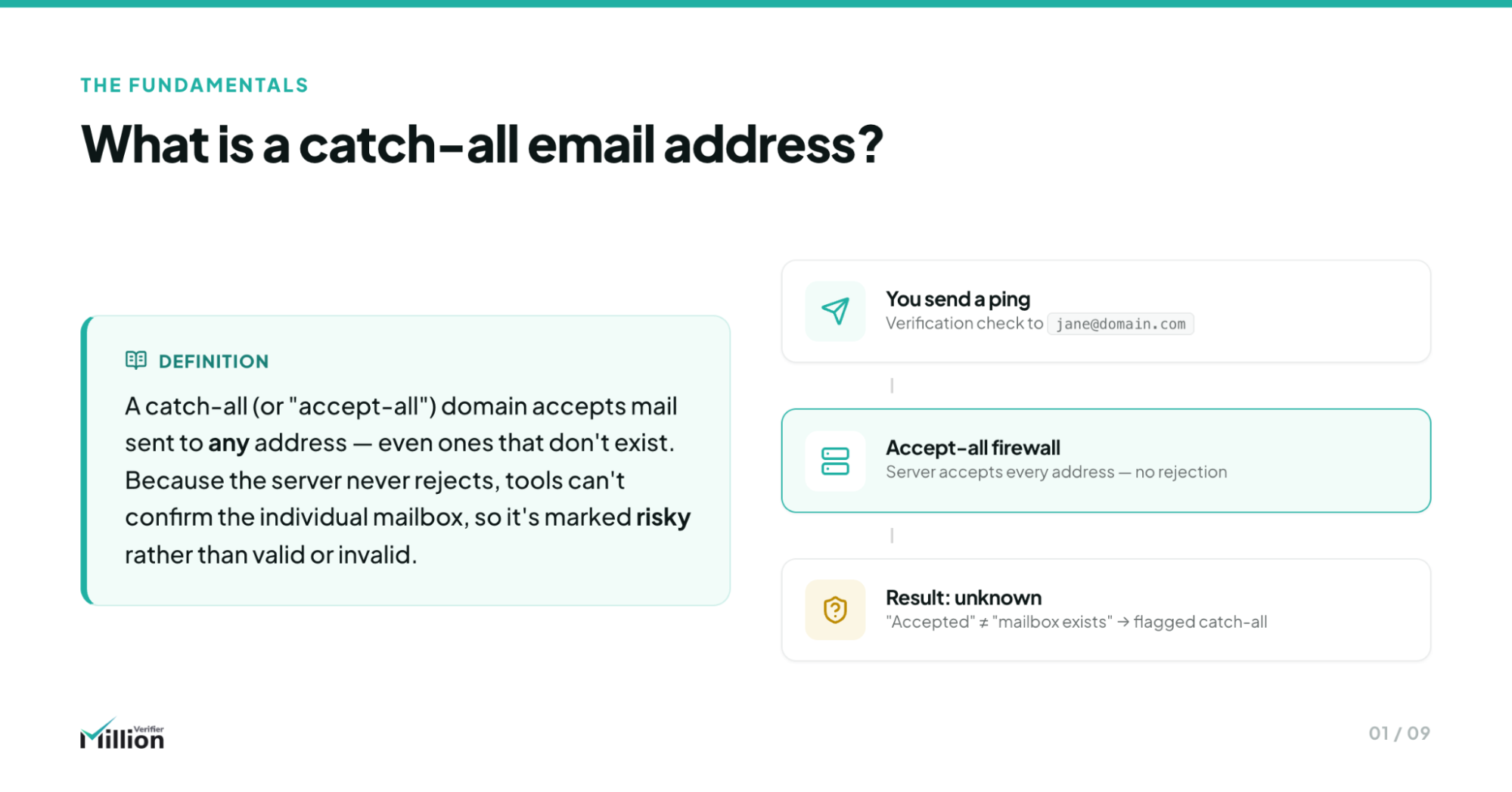
A catch-all email address exists on a domain using an Accept-All server firewall that temporarily accepts nearly any mailbox request, even when the exact inbox cannot be verified in real time. This makes standard validation inconclusive, because the server masks whether the mailbox truly exists or is simply being provisionally accepted during verification checks.
In practical terms, a catch-all domain is set up to accept incoming mail for any address on that domain, or at least to respond in a way that prevents basic mailbox verification tools from confirming whether a specific inbox truly exists.
That creates a gray area for marketers:
- The address may be valid
- The address may be invalid
- The server may be masking the answer on purpose
For B2B senders, this matters because many legitimate companies use catch-all setups—especially larger organizations with strict IT controls.
Why B2B Companies Use Catch-All Configurations
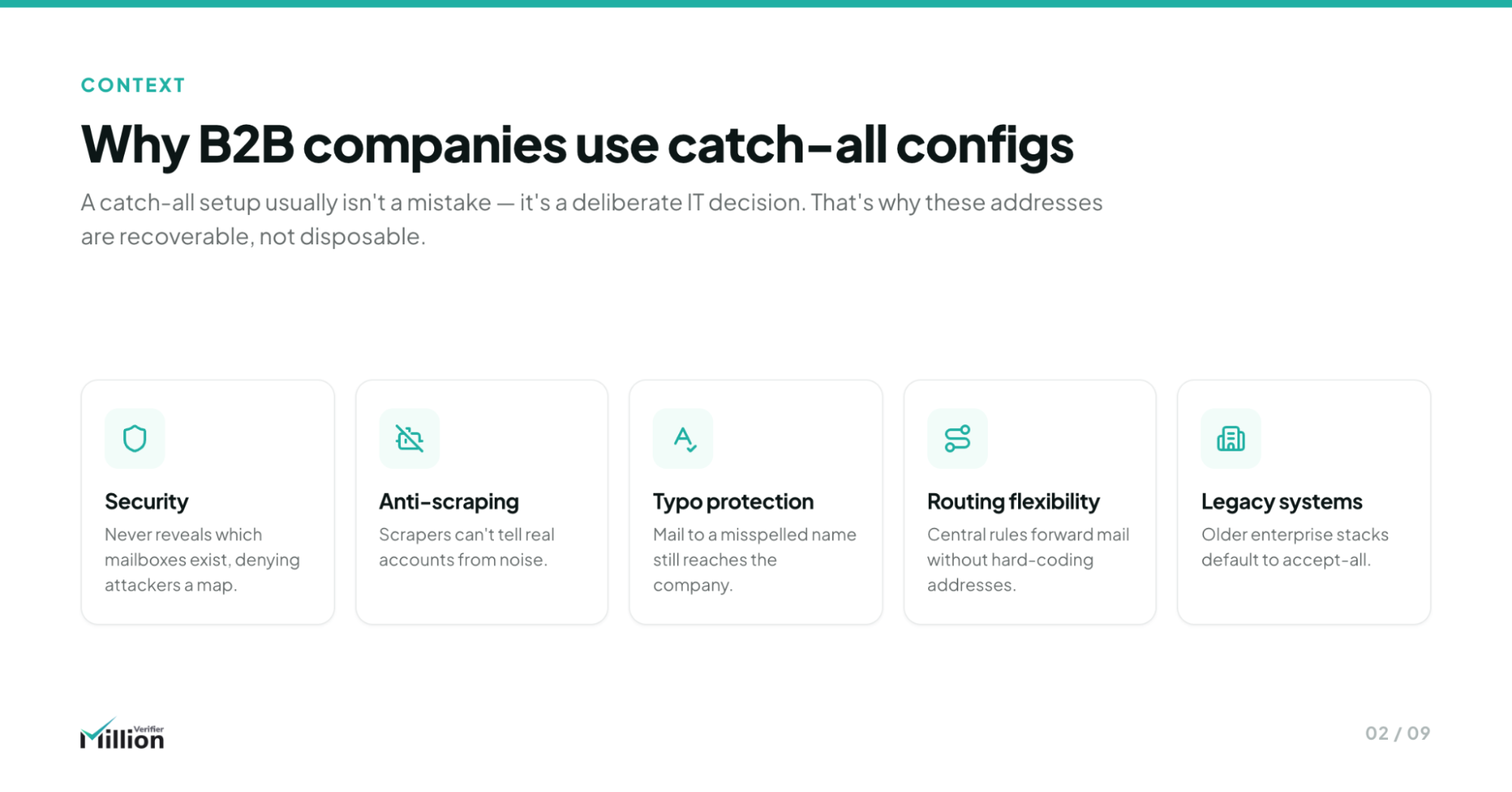
Catch-all configurations are not automatically a red flag. In many cases, they are a deliberate choice by corporate IT teams.
Common reasons B2B companies use catch-all settings include:
- Security and anti-harvesting protection: Accept-All behavior makes it harder for spammers and scrapers to discover valid inboxes.
- Server-level firewalling: Some companies intentionally obscure mailbox status at the mail server level to reduce verification exposure.
- Centralized inbox management: Messages sent to variations of employee names or departmental aliases can still be routed internally.
- Legacy infrastructure: Older enterprise environments often preserve broad mail acceptance rules for compatibility.
- Missed-opportunity prevention: Businesses do not want potentially valuable inbound emails rejected because of a typo, alias, or routing rule.
So if your verifier marks a contact as catch-all, that does not mean “bad lead.” It means: handle carefully.
Decoding the "Risky" Category
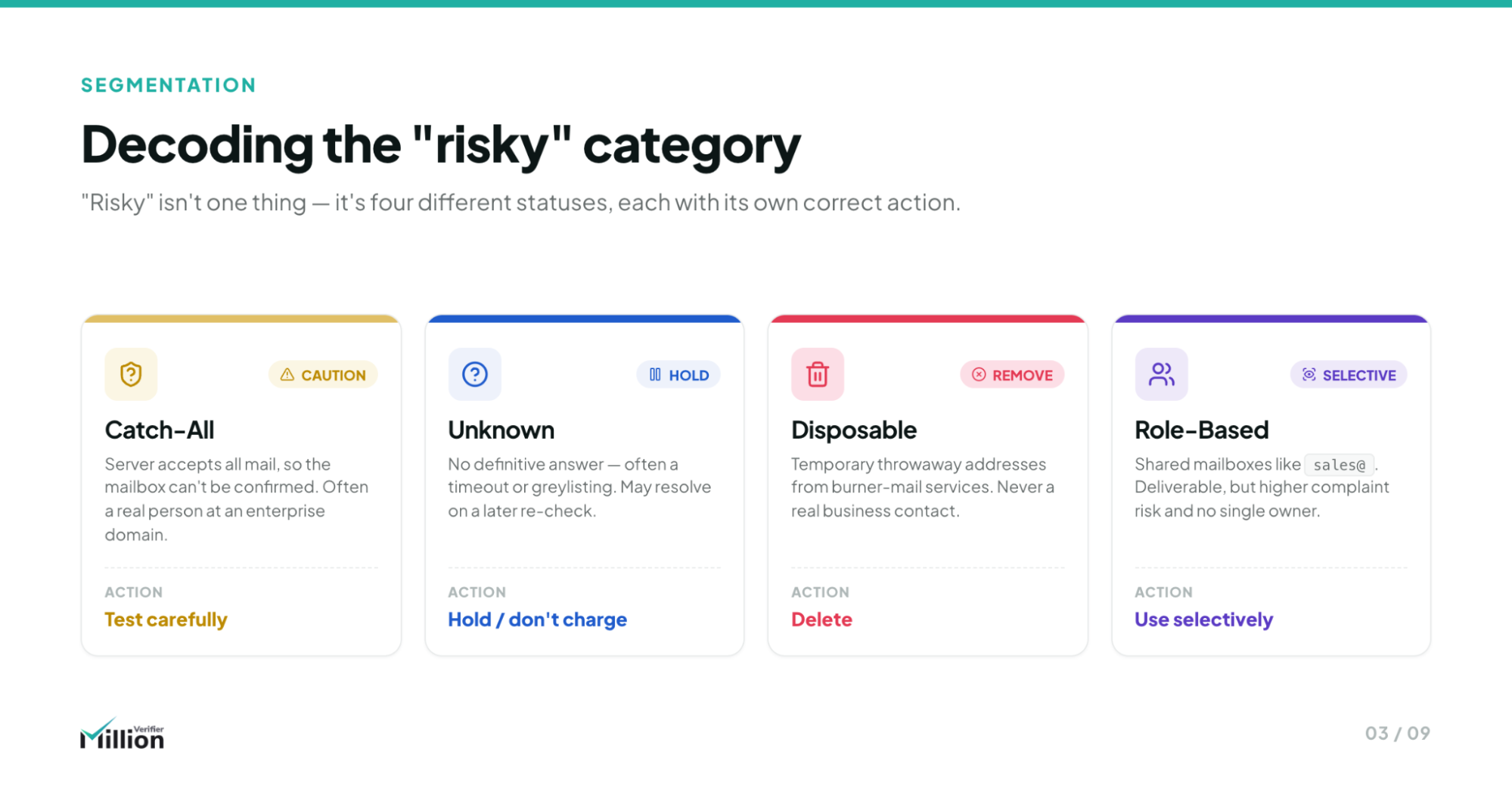
“Risky” is often misunderstood. It does not mean all addresses in the category should be treated the same way. In fact, some risky segments are worth testing, while others should usually be excluded immediately.
Catch-All
A catch-all address belongs to a domain that accepts or appears to accept all mailbox queries, making final mailbox confirmation difficult.
From a pricing and operations standpoint, many verification platforms treat catch-all detection as a specialized problem and may charge more for deeper checks. That is why it is important to know whether your provider includes advanced recovery inside standard verification workflows—or turns it into a premium upsell.
Unknown
An unknown result means the verifier could not get a reliable server response at the time of the check.
This can happen because of:
- Temporary server timeouts
- Greylisting
- Connection throttling
- Misconfigured mail servers
- Strict filtering rules
Unknown does not always equal invalid. But it does mean uncertainty is higher. Because these records are technically unusable for safe cold outreach, a fair verification partner should not charge credits for them.
Disposable
A disposable email is a temporary inbox, often created through a 10-minute email service.
These addresses should always be deleted because:
- They are not built for ongoing business communication
- They rarely represent durable buying intent
- They add unnecessary risk to outreach quality
Role-Based
A role-based email is tied to a function rather than a person, such as:
- info@
- sales@
- support@
- admin@
These addresses may still be valid, but they are usually poor targets for personalized cold outreach because they are shared, filtered, or handled by multiple people.
The Hidden Danger of Blasting a Catch-All List
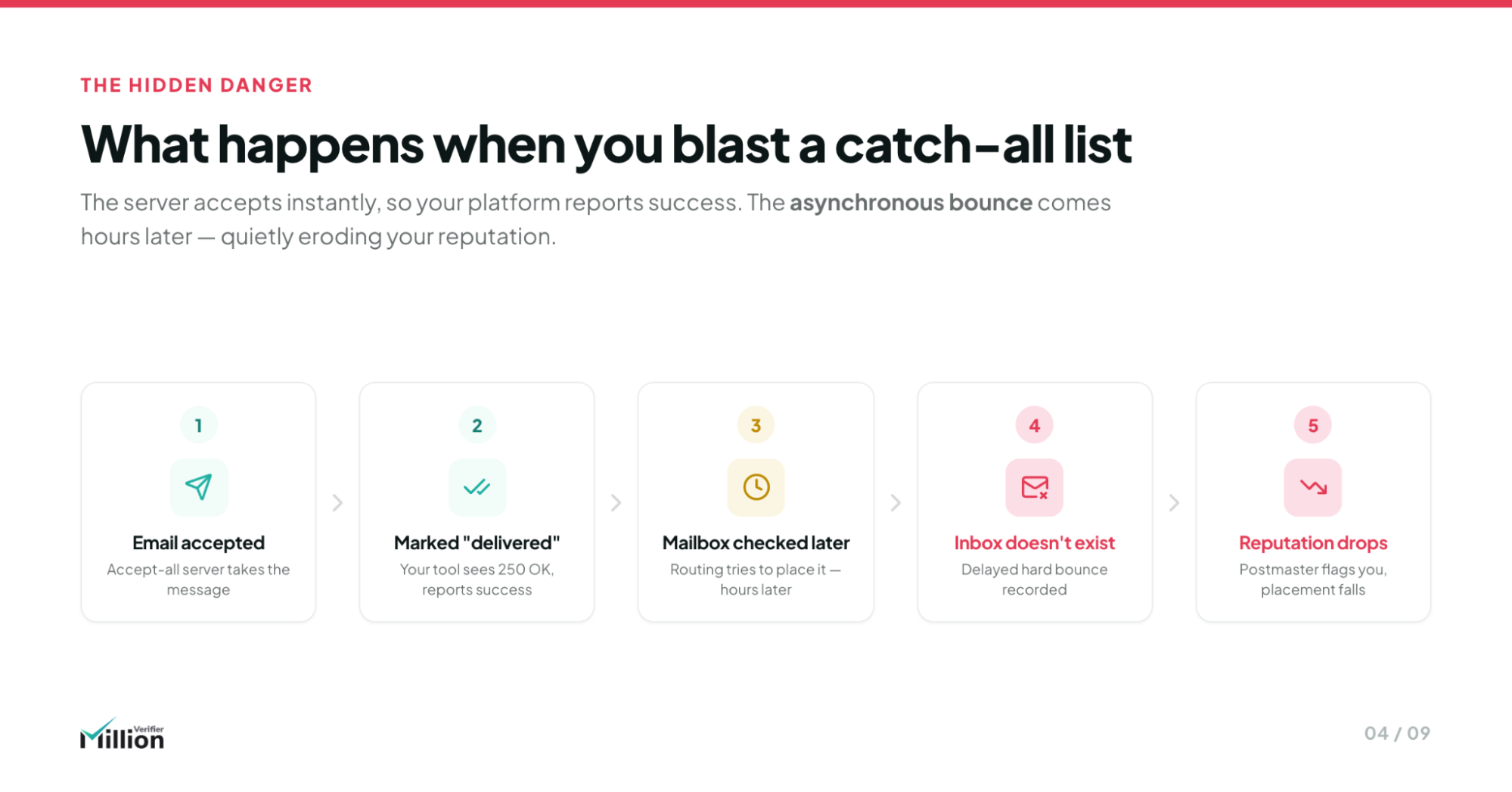
The main danger with catch-all sending is the asynchronous bounce—also called a delayed hard bounce.
Here is what happens:
- Your email is accepted at the server’s front door.
- Your sending platform reads that as successful delivery.
- The receiving system then checks whether the specific inbox actually exists.
- If it does not, the message is rejected internally after the initial acceptance.
- That rejection is recorded as a hard bounce after the fact.
This is why catch-all lists can be so deceptive. At first, everything looks fine. Then bounce signals begin to appear and your domain reputation can drop fast.
For agencies and outbound teams, this matters because delayed hard bounces can:
- Hurt sender trust with major mailbox providers
- Reduce inbox placement
- Trigger platform warnings
- Damage your metrics inside Google Postmaster Tools
- Compromise an otherwise healthy sending domain
In short: server acceptance is not the same as safe deliverability.
The Agency Playbook: 3 Ways to Safely Send to Catch-Alls
If you absolutely must test unresolved catch-all emails, the goal is not volume. The goal is damage control.
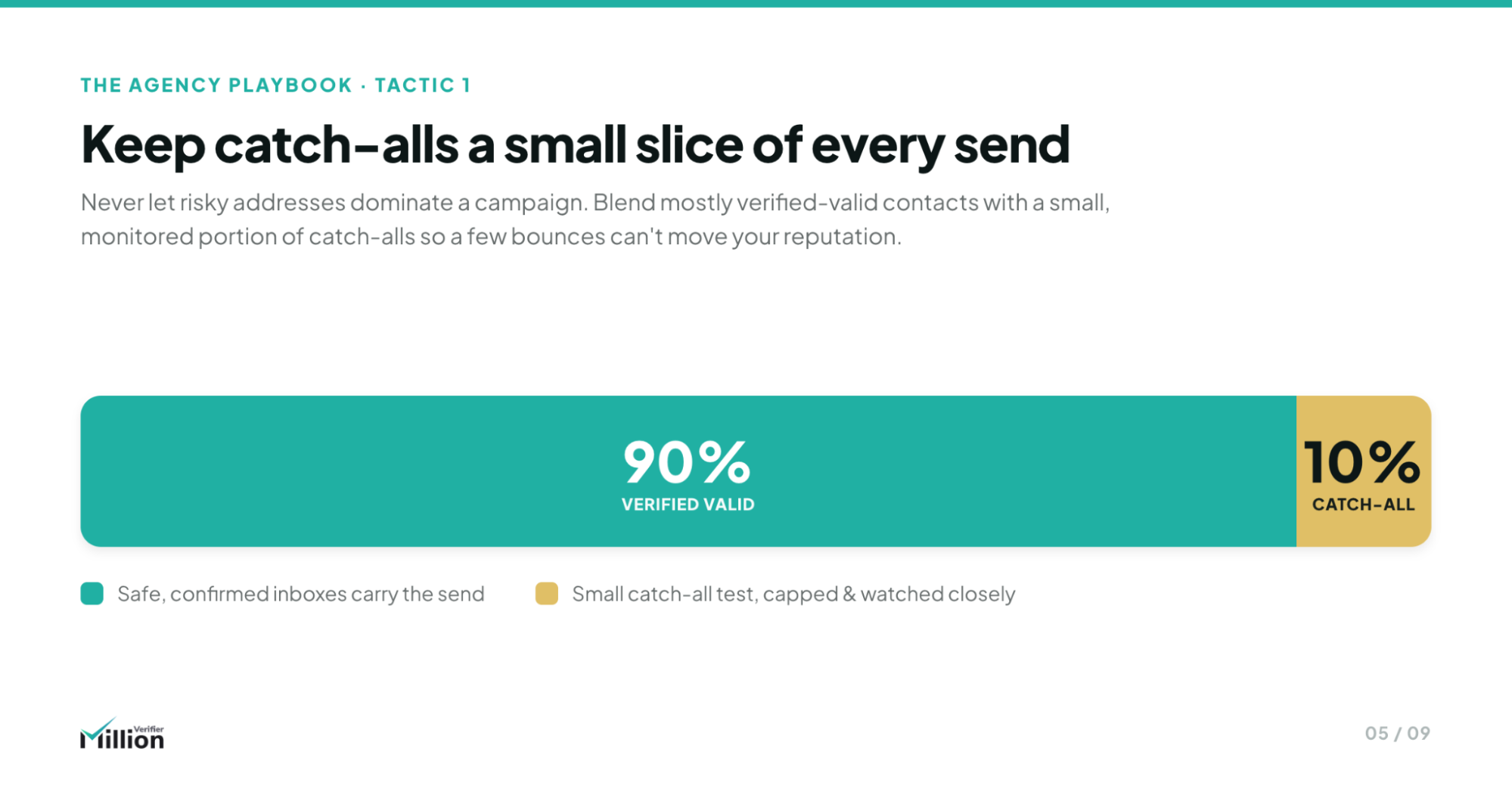
1. The 90/10 Ratio
Never send a campaign made up entirely of catch-all emails.
Instead:
- Keep catch-alls at a strict 10% maximum of the total send
- Mix them with clearly Valid emails
- Use the strong base of valid contacts to dilute bounce risk
2. Warm Domains Only
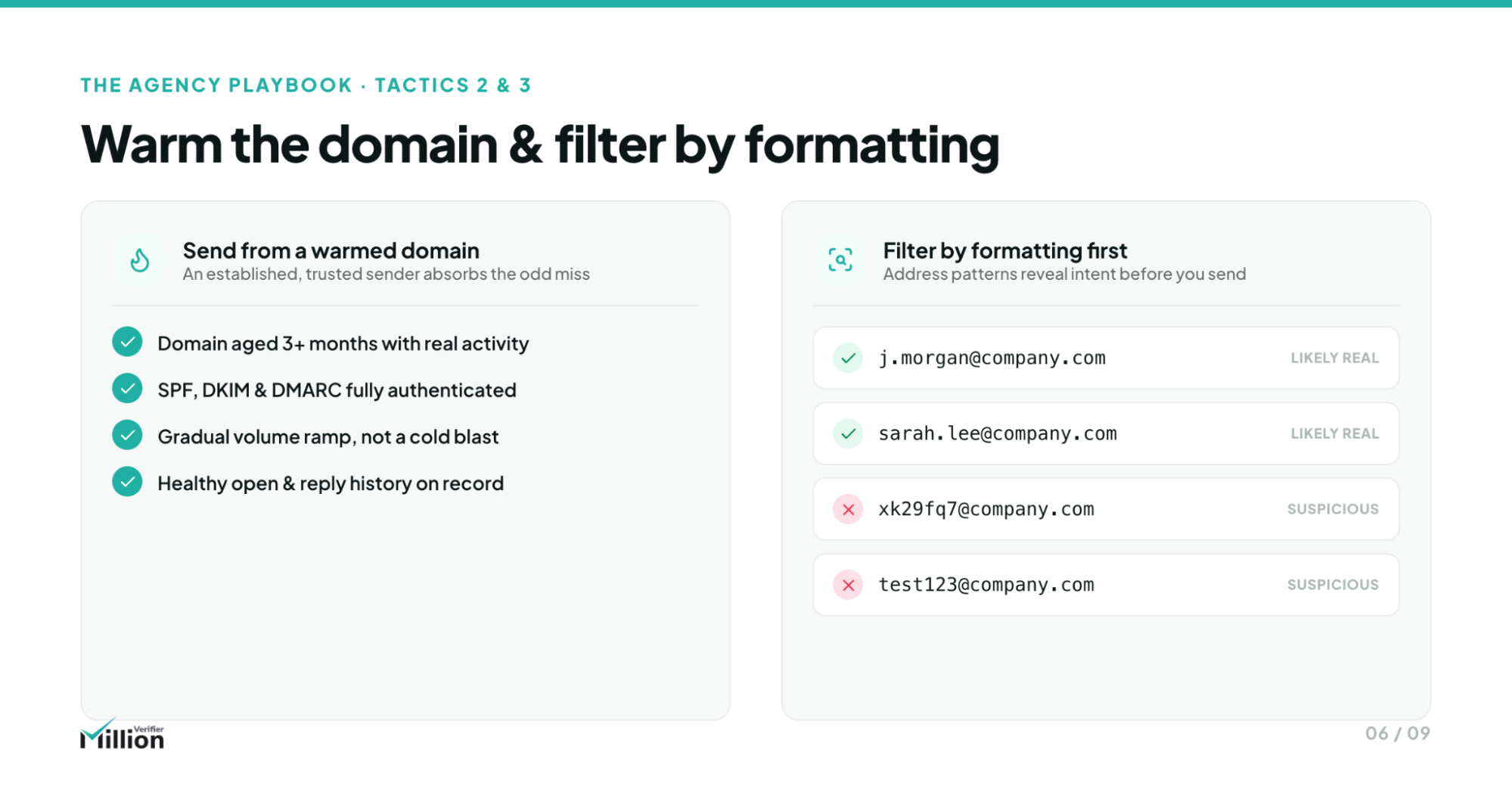
Never test catch-all segments on a fresh domain.
Only use domains that have:
- At least 30+ days of clean sending history
- Stable engagement patterns
- Strong existing reputation
- No recent bounce-related warnings
3. The "Guaranteed Formatting" Rule
Pattern consistency matters.
If confirmed valid contacts from the same company follow a strict pattern such as:
Then:
- Keep catch-all contacts that match that exact structure
- Discard anomalies like [email protected] or odd alias variations
- Treat formatting mismatches as higher risk
This simple filtering step helps remove guesswork when catch-all data cannot be fully resolved.
Stop Paying Premium Ping Services
A common industry tactic is to label large blocks of email addresses as “Risky,” then force marketers to export those records and pay again for secondary pinging or deeper verification.
That model gets expensive fast, especially for agencies and high-volume B2B teams managing large prospect databases.
The better alternative is a verification workflow where deeper analysis is built into the process—not sold as a penalty every time you upload a difficult list.
The MillionVerifier Advantage: Deep-Level Verification
MillionVerifier’s Smart Verify positioning is simple: help teams recover more value from risky datasets without creating a billing trap.
Key advantages include:
- Recover up to 30%–40% of catch-all leads through deep-level verification
- Zero extra fees for advanced catch-all handling
- One standard credit per email, even for deeper analysis
- Seamless workflow with no need for separate premium ping services
- Recovered emails are automatically sorted into standard Valid and Invalid columns
- 99%+ accuracy across validation outcomes
- 100% money-back guarantee for added confidence
For B2B SaaS teams, agencies, lead gen operators, and outbound teams, that means you can test more intelligently without overpaying to do it.
Instead of treating every catch-all as dead weight, you can process the list through a system built to identify where the real opportunities still exist.
When to Walk Away: The "Delete" Threshold
Not every risky email deserves another chance.
There should be a clear point where deleting records is the smarter business decision.
A strong delete threshold usually includes addresses that are:
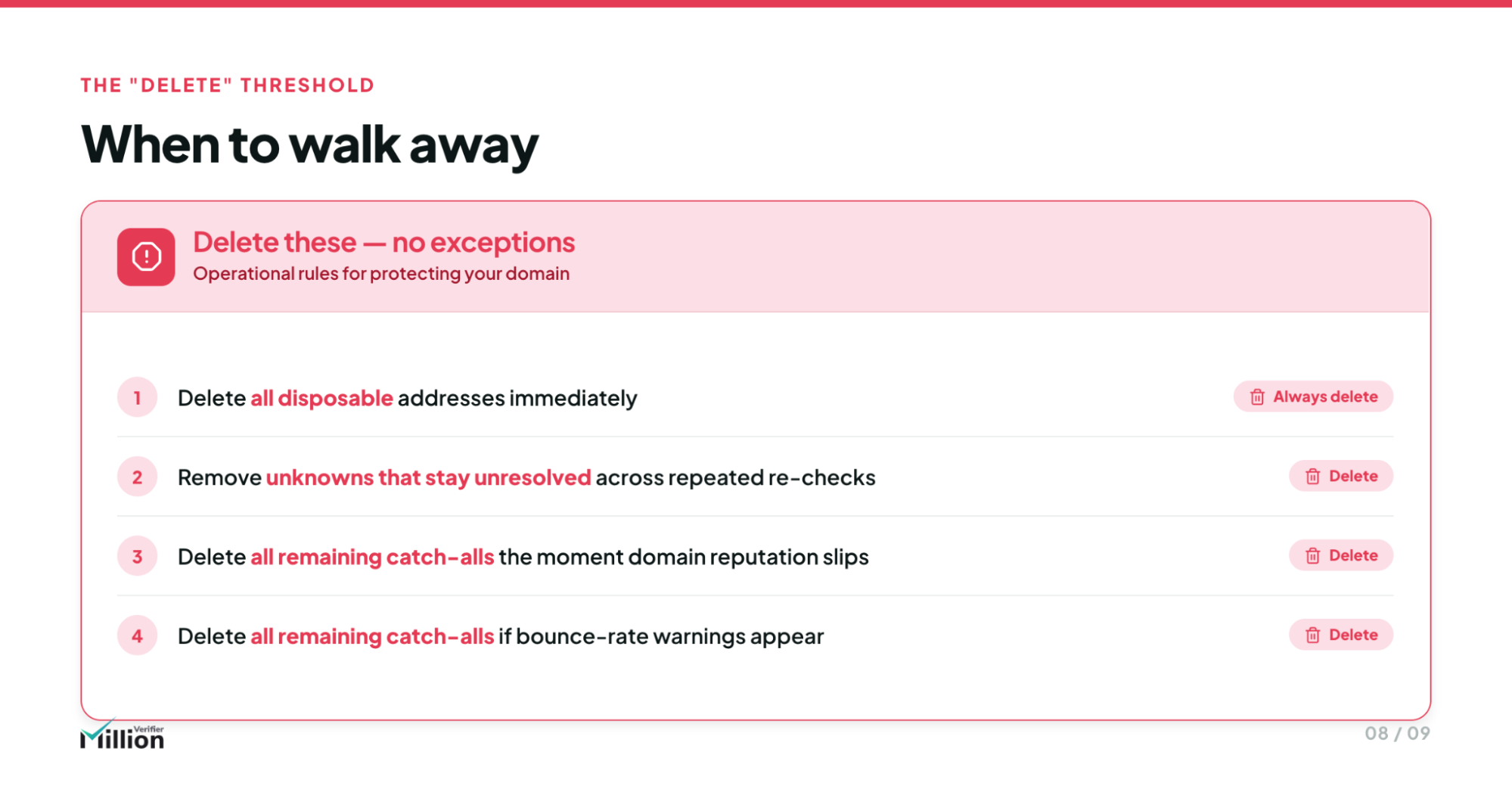
- Disposable
- Obviously malformed
- Repeatedly unresolved as unknown after proper verification attempts
- Role-based, if they fall outside your outreach policy
- Attached to poor-quality sources
- Unnecessary to your ICP targeting
You should also walk away when:
- The list source is questionable
- The domain shows multiple risk indicators
- The segment would require too much sending risk for too little upside
- The economics do not justify more effort
- Your overall domain reputation is slipping
- Your sending platform warns of high bounce rates
Hard rule: if your domain reputation is declining or your sending platform starts warning you about bounce risk, delete all remaining catch-all emails until your sender score stabilizes.
The goal is not to save every record. The goal is to maximize safe revenue potential while minimizing reputation damage.
Good list hygiene is not about being aggressive or conservative. It is about being selective.
FAQ
Are catch-all emails always bad?
No. Many catch-all emails belong to legitimate B2B companies using protective mail server configurations. The issue is not that they are automatically bad—it is that they cannot be confirmed with the same certainty as standard valid inboxes.
Can catch-all emails bounce later even if they seem accepted at first?
Yes. That is one of the biggest risks. Some failures happen asynchronously, meaning the server initially accepts the message before rejecting it later.
Should I send to all risky emails?
No. Risky categories are not equal. Disposable emails should be removed, while some catch-all emails may still be worth testing carefully. Unknown and role-based emails require policy-based decisions.
What is a safe way to send to catch-all emails?
Use a limited ratio, send only from warm domains, and make sure your records are clean and correctly formatted. A controlled testing approach is far safer than a full-volume blast.
Why do some email verification tools charge more for catch-all checks?
Because catch-all verification is more complex and often requires deeper logic or additional server analysis. Some providers pass that complexity on as premium pricing.
Should providers charge for Unknown emails?
No. Because Unknown results are technically unusable for safe cold outreach, a fair verification provider should not charge credits for them.
How can Smart Verify help with risky lists?
Smart Verify helps identify recoverable opportunities inside risky segments, including catch-all emails, without forcing you into separate premium ping workflows. It is designed to improve list value while protecting deliverability economics.
What should I delete immediately?
In most B2B workflows, you should strongly consider deleting disposable emails, malformed addresses, low-quality imports, and any risky segments that do not match your targeting or sending policy.
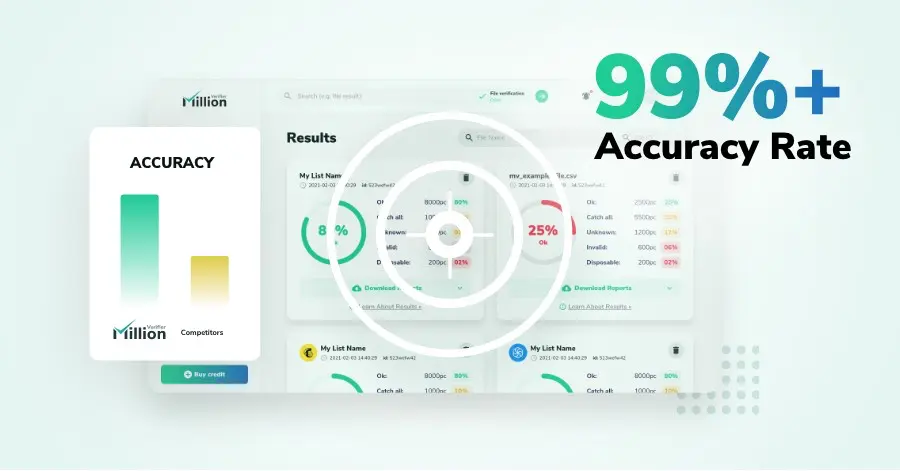
We have kept improving our email verification software for over six years now, and we are incredibly proud of our outstanding 99%+ email verification accuracy.
We have created MillionVerifier to provide the best email verification service possible for email marketers with higher email verification needs.

Our customers love what we do. We work hard to deliver the best results and user experience for our customers.